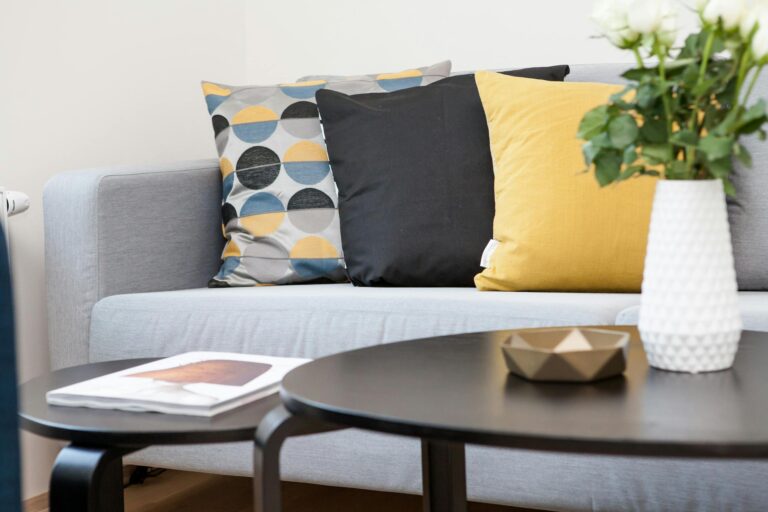
The first morning I worked from my home office, I sat down at my desk, opened my laptop, and didn’t speak to a single person for four hours. I finished more substantive work before lunch than I used to finish in an entire week at the agency. That sounds like an exaggeration. It isn’t. For more than two decades, I worked in open-plan offices, client war rooms, and glass-walled conference rooms where someone always needed something, where silence was treated as a problem to be solved, and where my energy was considered a shared resource. I didn’t know I was an introvert then. I just knew I was exhausted in a way that sleep couldn’t fix. My home office changed that. Not because it’s fancy, and not because working from home is inherently easier, but because I designed it specifically around how I actually think, recover, and produce. The physical space became a psychological one. A place where I control the sensory inputs, the interruptions, the light temperature, the sound level, and the pace. That control isn’t a luxury. For an introvert, it’s the difference between functioning and thriving.
If you’re an introvert who works from home, or who’s building toward that, your home office is your single greatest professional asset. Not your network. Not your laptop. The room. A well-designed home office doesn’t just reduce distractions , it actively restores the mental bandwidth that open environments drain. It’s a permanent recharge station disguised as a workspace. Most home office advice skips straight to product recommendations and desk configurations. This article does get to products (seven specific ones, with honest takes on each), but the principles come first. Because the wrong chair in the right room still leaves you depleted. And the right chair in a room you haven’t thought through carefully is a missed opportunity. Let’s talk about what makes a space genuinely work for the way introvert minds operate, and then we’ll get specific.
Some links on this page are affiliate links. As an Amazon Associate I earn from qualifying purchases, at no extra cost to you.
What Makes a Home Office “Introvert-Optimised”
An introvert-optimised home office isn’t about minimalism for its own sake or making a room look good for video calls. It’s about building an environment that actively supports how introverts process the world. Four principles drive everything:
What’s your personality type?
Take our free 40-question assessment and get a detailed personality profile with dimension breakdowns, context analysis, and personalised insights.
Discover Your Type8-12 minutes · 40 questions · Free
Sensory control. Introverts tend to process stimulation more deeply than extroverts, which means unmanaged sensory input (harsh overhead lighting, ambient noise, temperature fluctuations) creates real cognitive friction. Your setup should give you deliberate control over light quality, sound levels, and thermal comfort. These aren’t comfort preferences. They’re performance variables.
Visual calm. Clutter isn’t just aesthetically unpleasant. For a mind that processes deeply, visual noise competes directly with focused thought. Research on cognitive load and environmental design consistently shows that disordered visual environments degrade performance on tasks requiring concentration. Your desk surface and sight lines matter more than most people admit.
Door policy. Physical boundaries create psychological ones. A room with a door that closes (and that others in your household understand to mean something) is worth more than any piece of equipment you’ll read about below. If you share a home, this conversation about boundaries needs to happen before you spend money on anything else. The social battery is real, and a closed door is how you protect it during working hours.
Ergonomics as energy management. Physical discomfort is a slow drain. If you’re shifting in your chair, fighting neck tension, or squinting at a screen, a portion of your cognitive resources is always occupied with low-level discomfort management. Good ergonomics frees up that bandwidth for actual thinking. That’s the introvert-specific reason to care about it, beyond the general health arguments.
The Setup at a Glance
Some links on this page are affiliate links. As an Amazon Associate I earn from qualifying purchases, at no extra cost to you.
- Flexispot E7 Standing Desk , the most stable, configurable foundation you can build around
- Secretlab Titan Evo Chair , premium support that removes physical distraction from the equation
- BenQ ScreenBar Halo , monitor lighting that eliminates eye strain without cluttering your desk
- Elgato Key Light , warm, controllable ambient light that sets the tone for your entire room
- Anker PowerConf S500 , clear audio for calls you have to take, with minimal intrusion
- UPLIFT V2 Standing Desk Converter , a credible alternative if you’re not ready to replace your desk
- Autonomous ErgoChair Pro , a genuine ergonomic chair at a price that doesn’t require an apology
Flexispot E7 Standing Desk: The Foundation Worth Getting Right
Standing desks get marketed as health products. That’s not why I think about mine. I think about it as a mood management tool. When I’ve been sitting in a focused, deep-work state for two hours and I feel the mental fog starting to creep in, raising the desk and working standing for twenty minutes resets something neurological. There’s solid research connecting standing desk use to reduced fatigue and improved mood during the workday, and my own experience aligns with that completely.
The Flexispot E7 is my specific recommendation because the stability at standing height is genuinely better than most competitors at this price point. Wobble at a standing desk is maddening if you’re someone who processes through writing or thinking, and the E7’s dual-motor system and solid frame eliminate that problem. The weight capacity (355 lbs) means you’re not rationing what you put on it. The programmable height presets mean transitioning from sitting to standing takes two seconds and zero friction.
For an introvert, the deeper value is this: movement without leaving the room. I don’t have to go find a walking meeting or a different space to shift my physical state. I can change my entire body posture and energy level without breaking the environmental conditions I’ve carefully set up. The room stays the same. The sensory inputs stay controlled. I just change my relationship to the desk.
One honest drawback: Assembly is legitimately time-consuming, and the instructions could be clearer. Budget a half-day, not an hour, and watch a third-party assembly video first. It’s worth the effort, but don’t go in expecting a quick afternoon project.
Secretlab Titan Evo Chair: Remove Physical Discomfort from Your Awareness
I resisted spending this much on a chair for longer than I should have. My reasoning at the time was that it felt indulgent. My reasoning now is that I spend more waking hours in this chair than I do in my bed, and I’d never debate the value of a good mattress. The Secretlab Titan Evo is the chair I own and the chair I’d buy again without hesitation.
What it does technically: magnetic neck pillow, adjustable lumbar support (integrated, not a separate cushion you’ll lose within a month), 4D armrests, and a recline that actually functions as a relaxation tool, not just a fall-backward mechanism. The cold-cure foam holds its shape across a long day in a way that cheaper foam simply doesn’t.
What it does for an introvert specifically: it disappears. That’s the goal. When your chair is working properly, you stop noticing it. Physical discomfort is one of the most persistent attention thieves in a home office. It’s subtle enough that you don’t consciously register it as a problem, but it’s always consuming a slice of your focus. Introverts doing deep, cognitively demanding work can’t afford that tax. A chair that fits your body and holds its position across hours of work removes that tax entirely.
I particularly value the recline function. On days when I’m processing a difficult problem or reading something dense, I’ll recline to about 130 degrees and think. It’s become part of my actual workflow, not a distraction from it.
One honest drawback: The break-in period is real. The first week or two, the cold-cure foam is noticeably firm. Give it time before you judge it. Most people who return this chair do so before it’s had a chance to conform properly.
BenQ ScreenBar Halo: Lighting That Protects Your Eyes and Your Focus
Most people haven’t thought seriously about the light hitting their monitor screen versus the light illuminating their workspace. I didn’t either until I started investigating why I had low-grade headaches by mid-afternoon on heavy screen days. The answer, in most cases, is contrast: a bright screen against a dark or dimly lit room forces your eyes to constantly re-adjust, and that micro-labour adds up across hours.
The BenQ ScreenBar Halo addresses this with a monitor-mounted light bar that illuminates your desk from above without throwing glare onto your screen, plus a rear-facing ambient glow that reduces the contrast between your monitor and the wall behind it. The result is a workspace that’s evenly lit without being harsh, and a screen environment that’s dramatically less fatiguing over long sessions.
The introvert-specific value here is sensory sustainability. Introverts in deep work states can push for long focused sessions, and the physiological cost of poor lighting shortens those sessions artificially. BenQ’s auto-dimming function adjusts light output based on ambient conditions, which means one less variable I’m manually managing during the day.
I keep mine set to a warm 4000K during morning work and let it drift slightly cooler in the afternoon. The difference in how my eyes feel at the end of a long writing day is not subtle. Eye strain isn’t discussed enough in the context of digital fatigue research, but it’s one of the most direct routes to an energy crash for screen-heavy workers.
One honest drawback: It’s expensive for a desk lamp. That’s the honest version of the conversation. If your budget is constrained, this is one you defer. But it’s also one of the highest-impact upgrades I’ve experienced relative to how low-profile it is.
Elgato Key Light: Control the Atmosphere of Your Room, Not Just Your Desk
The Elgato Key Light is marketed to streamers and video content creators who need professional-quality on-camera lighting. That’s a legitimate use case. It’s not why I have one. I have one because it gives me warm, adjustable, soft-box quality light that I can control from my phone, and the quality of light in my room directly affects my mental state during the workday.
Harsh overhead fluorescents were one of the things I hated most about agency offices. The lighting was designed for visibility, not for human comfort, and spending eight to ten hours under it was its own particular kind of depletion. My home office has one overhead fixture that I almost never turn on. Instead, the Key Light runs at about 60% brightness and 4500K during my main working hours, giving the room a quality of light that feels intentional rather than institutional.
For video calls, the Key Light does what it’s designed to do: it makes you look like you’re in a professionally lit environment rather than a dim room with a laptop screen as your only light source. For introverts who dread video calls, looking composed and well-lit is a small but real confidence factor. The call feels less exposing when you’re not squinting into bad light.
The app control is genuinely good. I have different presets saved: deep work mode (warm, lower brightness), video call mode (cooler, higher brightness), and late-afternoon mode (very warm, around 3200K) for when I’m doing lighter reading or admin work. Each mode shifts the sensory environment subtly but meaningfully.
One honest drawback: The mounting clamp works well on most desks but can feel precarious on thinner surfaces. If your desk edge is unusually thin, check the clamp specifications before ordering.
Anker PowerConf S500: Because Calls Are Unavoidable, They Should at Least Be Easy
I’ll be direct about something: I don’t love calls. Most introverts working in professional contexts don’t. Calls break deep work states, require immediate verbal processing rather than the considered responses I prefer, and carry a social energy cost that emails and messages simply don’t. I accept this as a reality of professional life, and I’ve optimised for it rather than against it.
The Anker PowerConf S500 is a speakerphone, which sounds like a step backward in the age of wireless earbuds. It isn’t. The S500 sits on my desk, connects via Bluetooth or USB-C, and handles calls with AI-driven noise cancellation and 360-degree microphone pickup that makes me sound considerably more present and clear than I do on laptop audio or even most headsets. The specific benefit is that I’m not wearing anything. No earbuds. No headset. Nothing on my head or in my ears.
That might sound like a minor thing. For me, it isn’t. Wearing a headset for a call is a physical reminder that I’m in “performance mode,” which adds a layer of tension I don’t need. The S500 lets me take calls in a more natural posture, often while standing at my desk or moving slightly, which keeps me calmer and more articulate. The social battery cost of a call goes down when the physical experience of the call is less effortful.
Call quality from the other end is consistently praised by people I speak with, which matters for professional credibility when you’re working remotely.
One honest drawback: In rooms with significant echo or hard surfaces, the speakerphone element can pick up room reverb. Soft furnishings help, but if your office is very sparse acoustically, a headset might serve you better.
UPLIFT V2 Standing Desk Converter: A Credible Bridge If You’re Not Ready to Commit
Not everyone is at the point of replacing a desk they already own, or spending on a full standing desk setup. The UPLIFT V2 Standing Desk Converter is for that situation, and it’s worth discussing seriously because the alternatives in this category are mostly poor quality.
The V2 Converter sits on top of your existing desk and raises your monitor, keyboard, and mouse to standing height via a counterbalanced pneumatic lift. The transition is smooth, the stability at standing height is better than most converters at this price, and it doesn’t require any permanent modification to your current setup.
My recommendation to anyone considering this: treat it as Phase 2 of a longer plan, not a permanent solution. The converter is narrower than a full desk, which constrains your workspace. If you use multiple monitors or need significant desk surface, you’ll feel the limitation. But if you’re working from a kitchen table or a spare room desk and want to introduce the movement benefits of height adjustability without replacing your entire setup, this is the most functional way to do it.
The introvert-specific argument for any standing option comes back to the same point I made about the Flexispot: movement without environmental disruption. You don’t have to leave your carefully calibrated room to change your physical state. That preserved environment matters more than most people account for when they’re building their setup. The shift to home-based and independent work makes this kind of intentional setup increasingly relevant for professional introverts.
One honest drawback: The desk real estate shrinks meaningfully. If you’re used to a wide desk surface and work with multiple peripherals, the V2 Converter will feel limiting. Know that going in.
Autonomous ErgoChair Pro: Serious Ergonomics Without the Herman Miller Price Tag
The Secretlab Titan Evo is my personal chair. The Autonomous ErgoChair Pro is what I recommend to people who ask me what to get when they don’t want to spend Secretlab money. And it’s a genuine recommendation, not a consolation prize.
The ErgoChair Pro is a more traditional ergonomic office chair in design: mesh back, adjustable lumbar, recline, armrests that adjust in four directions. It has the profile of a high-end task chair without the price that typically accompanies that profile. The mesh back is particularly good for temperature regulation, which matters if you run warm or if your office doesn’t have great climate control. A chair that traps heat becomes physically uncomfortable by mid-afternoon in a way that’s distracting in exactly the low-grade, persistent way I described earlier.
The lumbar support is adjustable in both depth and height, which is not universal in this price range and makes a significant difference in how the chair fits different body proportions. I’ve sat in this chair extensively and found it genuinely comfortable across a long session, which is the only test that actually matters. Showroom comfort is easy. Four hours of focused writing is the real test.
For introverts who’ve been working at kitchen tables or in makeshift spaces and are finally investing in their home office properly, this chair is an excellent starting point. Ergonomic standards for seated work are clear that proper lumbar support, adjustable seat height, and arm positioning are foundational, and the ErgoChair Pro meets those standards at a price that makes the investment accessible.
One honest drawback: Customer service from Autonomous has received mixed reviews online. It’s worth noting, because if something goes wrong, your experience resolving it may be frustrating. Buy with that context in mind.
Building Your Setup in Phases (You Don’t Need It All at Once)
The total cost of the setup described above, purchased all at once, would be significant. Nobody should do that. Here’s how I’d think about sequencing if I were starting from scratch:
Phase 1: The chair. This is non-negotiable as the first investment. You’ll spend more hours in your chair than at any other single piece of equipment. Physical discomfort is the most immediate and persistent energy drain in a home office. If budget is very tight, the Autonomous ErgoChair Pro is your move. If you can stretch, the Secretlab Titan Evo is worth the difference.
Phase 2: The desk. Once your seating is sorted, the desk matters. If you have an existing desk that works spatially, the UPLIFT V2 Converter is a sensible bridge. If you’re setting up from scratch or your current desk isn’t working, the Flexispot E7 is the long-term foundation. This is the investment that tends to stay with you for a decade.
Phase 3: Lighting. The BenQ ScreenBar Halo and the Elgato Key Light together transform the sensory experience of your room. If you can only do one, start with the ScreenBar Halo because eye strain is the most direct fatigue pathway for screen-heavy workers. The Key Light adds ambient quality that affects mood and energy in ways that are harder to measure but no less real.
Phase 4: Audio. The Anker S500 is the last piece because it addresses a specific problem (calls) rather than the foundational environment. It’s meaningful if you’re on calls regularly, but if your work is mostly asynchronous, it’s genuinely the least urgent investment here.
Budget tier summary: Phase 1 alone puts you ahead of most home office setups. Phase 1 and 2 together give you the foundation. Phases 3 and 4 refine the experience once the fundamentals are solid. The environment you’re building is cumulative. Each layer adds to the last.
Frequently Asked Questions
Do I really need a standing desk, or is that just a trend?
The functional value is real, but it’s not about standing more. It’s about having the option to change your physical state without leaving your workspace. For introverts who build carefully calibrated home environments, being able to adjust without disrupting the room is a specific and practical benefit. If the cost is prohibitive, the UPLIFT V2 Converter gives you the same option at a lower entry point.
What’s the most important thing to get right in a home office for introverts?
Sensory control comes first, and lighting is the most underestimated variable in that category. Most people fix everything else and then sit under a harsh overhead light all day, which undoes much of the benefit. Control over your light environment changes the feel of your room more than almost any other single change. After that, the chair, because physical discomfort is a constant and quiet drain on cognitive resources.
How do I set up a home office if I’m in a small apartment with no dedicated room?
The room matters less than the zone. A corner of a larger room with deliberate lighting, a good chair, and clear physical boundaries (even just the positioning of a bookshelf or a rug) can create the psychological separation that an introvert needs between work mode and recovery mode. The boundary is the point, not the square footage.
Is the Secretlab Titan Evo actually worth the price?
For most people who spend six or more hours a day at a desk, yes. The calculation is simple: divide the cost by the number of days you’ll use it over three to five years, and it comes out to a few dollars per day in exchange for removing physical discomfort from your working life entirely. The harder question is whether you can afford it right now, and if not, the ErgoChair Pro is a genuine alternative rather than a compromise.
How do I handle noise if my home office isn’t in a quiet part of the house?
Acoustic control is its own topic, but the three highest-impact low-cost moves are: a draft excluder under the door (reduces sound transmission significantly), a white noise machine positioned near the door (masks irregular external sounds, which are more disruptive than consistent ones), and heavy curtains on any windows facing noise sources. These aren’t glamorous, but they work before you spend money on anything technical.
About the Author
Keith Lacy is an introvert who’s learned to embrace his true self later in life. After 20+ years in marketing and advertising , including running his own agency and managing Fortune 500 clients , he built Ordinary Introvert to help others understand their introvert strengths and build lives that actually fit them. He’s an INTJ who once thought something was wrong with him. Turns out, nothing was.