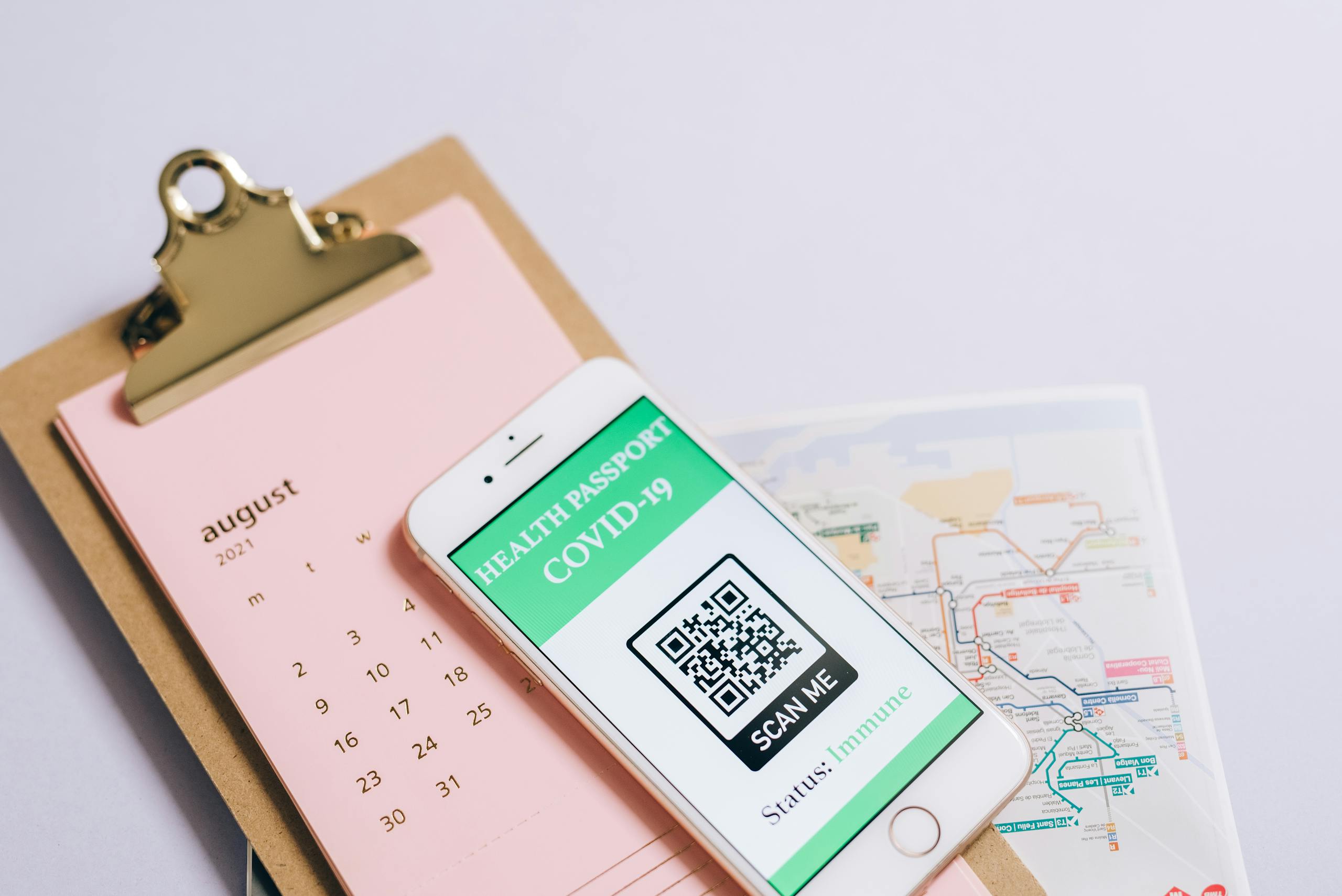

A lone worker application is a safety and productivity tool designed for people who work independently, often in isolation or remote settings, allowing them to check in, signal distress, and stay connected to a support system without constant human oversight. For introverts who thrive in solitary work environments, these apps offer something genuinely valuable: the freedom to work alone paired with a quiet safety net that doesn’t demand constant social interaction to function.
What surprised me, after years of running agencies where I sometimes worked late alone in the office long after everyone else had gone home, was how much mental energy I spent managing the low-grade anxiety of being unreachable. A lone worker application solves a problem I didn’t even have language for at the time.

If you’re building out your toolkit for independent or remote work, our Introvert Tools and Products Hub covers a wide range of resources worth exploring alongside what you’ll find here.
What Exactly Is a Lone Worker Application?
Strip away the marketing language and a lone worker application is essentially a structured check-in system that lives on your phone or computer. You set a timer. You check in at intervals. If you miss a check-in, the app escalates, alerting a designated contact, a monitoring center, or emergency services depending on how you’ve configured it.
What’s your personality type?
Take our free 40-question assessment and get a detailed personality profile with dimension breakdowns, context analysis, and personalised insights.
Discover Your Type8-12 minutes · 40 questions · Free
Most modern versions include GPS tracking, panic buttons, fall detection, and ambient noise monitoring. Some integrate with workplace safety compliance systems, particularly for industries like construction, healthcare, utilities, and field services where lone working is common and regulated. Others are lightweight consumer apps aimed at freelancers, remote workers, or anyone who spends significant time working without colleagues nearby.
The psychological dimension matters too. Knowing that someone will notice if you go silent creates a kind of passive accountability that many introverts find less intrusive than constant check-ins from a manager or coworker. The app checks on you. You don’t have to perform wellness for anyone.
Why Do Introverts Gravitate Toward Lone Work in the First Place?
My advertising career was built on open-plan offices, client presentations, and the kind of collaborative energy that looks great in agency pitch decks. What those pitch decks never showed was me at 7 PM, finally able to think clearly once the floor had emptied out. That wasn’t a quirk. That was how my brain worked best.
Introverts tend to process information deeply, preferring environments with fewer competing stimuli. Psychology Today notes that introverts characteristically think through problems more thoroughly before acting, which is a genuine cognitive strength in roles that demand accuracy, independent judgment, and sustained concentration. Lone work environments are often where that strength gets to operate without interruption.
There’s also the energy economy that anyone with introvert wiring understands intuitively. Social interaction, even pleasant interaction, draws from a finite reserve. Solo work replenishes it. Many introverts structure their careers deliberately around maximizing the ratio of deep solo work to obligatory group interaction, not because they’re antisocial, but because they do their best thinking when the room is quiet.
Isabel Briggs Myers spent decades documenting exactly this kind of cognitive difference between personality types. Her foundational work, which I explored in depth when I first started understanding my own wiring, is covered thoroughly in Gifts Differing by Isabel Briggs Myers, and it remains one of the most grounding reads for anyone trying to make sense of why they work better alone.

What Are the Real Safety Risks of Working Alone?
There’s a tendency to frame lone working as a lifestyle preference rather than a safety consideration, especially in knowledge work. But the risks are real across a wider range of contexts than most people acknowledge.
Physical hazards are the most obvious category. Field workers, tradespeople, healthcare professionals doing home visits, and anyone working in physically demanding or remote environments face genuine injury risk with no one nearby to respond. A fall, a medical episode, a confrontation with a member of the public: any of these can escalate quickly when there’s no colleague within earshot.
Mental health risk is less discussed but equally significant. Prolonged isolation without any structured human contact can compound anxiety and depression, particularly for people who are already prone to rumination. Research published in PubMed Central has examined how social connection, even minimal and structured, affects psychological wellbeing in ways that pure solitude cannot replicate. A lone worker app doesn’t replace human connection, but the check-in structure it provides creates a rhythm of contact that can buffer against the worst effects of extended isolation.
There’s also the practical risk of being unreachable in an emergency without anyone knowing where you are or when to expect you back. I remember a period when I was doing site visits for a retail client, sometimes in neighborhoods I didn’t know well, with no one tracking my schedule. Nothing ever went wrong, but looking back, that was a gap in my own risk management that I’d handle differently now.
How Do You Choose the Right Lone Worker Application?
The market has expanded significantly in recent years, which means more options and more noise to sort through. A few criteria matter more than anything else when evaluating these tools.
Check-In Flexibility
The best lone worker apps let you customize check-in intervals based on your actual work pattern. A freelance writer working from a home office needs different settings than a social worker doing home visits. Look for apps that allow variable timers, session-based check-ins, and the ability to pause or extend without triggering false alarms. Constant interruption defeats the purpose for anyone who needs sustained focus to do their best work.
Escalation Protocols
Understand exactly what happens when you miss a check-in. Does the app alert a personal contact first? Does it go straight to a monitoring center? Can you configure a tiered response, starting with a text to your emergency contact before escalating to professional monitoring? Tiered escalation is generally preferable because it reduces false alarm burden on emergency services and gives your personal network the first opportunity to reach you.
Privacy Architecture
This matters more to some people than others, but for introverts who are protective of their personal space and working rhythms, understanding what data the app collects and who can access it is worth examining carefully. GPS tracking that’s always on versus GPS that activates only during active sessions is a meaningful distinction. Some apps are designed for employer-mandated use, which means your location and activity data flows to a workplace system. Others are personal tools with data that stays between you and your chosen contacts.
Battery and Connectivity Performance
An app that drains your battery in three hours or fails in low-signal areas is worse than no app at all because it creates false confidence. Check reviews specifically for battery consumption and offline functionality before committing to any platform.
Which Lone Worker Applications Are Worth Considering?
A few names appear consistently in conversations about this category, each with a different focus and feature set.
StaySafe is one of the most widely used platforms in professional lone working contexts. It offers GPS tracking, timed check-ins, panic alerts, and a monitoring center option. It’s built with regulatory compliance in mind, which matters if you work in an industry where lone worker safety is legally mandated.
Ok Alone takes a simpler approach that suits independent workers and small teams well. Check-ins happen via the app, phone call, or SMS, which makes it accessible even in areas with limited data connectivity. The dashboard is clean and the escalation system is configurable without requiring a technical background to set up.
Peoplesafe combines an app with professional monitoring and includes a discreet SOS feature that can be triggered without appearing to make a call, which is relevant for anyone working in situations where a visible panic response could escalate a confrontation.
Aware360 is built for enterprise use but worth knowing about if you’re in a larger organization that hasn’t yet standardized on a lone worker solution. Its strength is integration with existing workforce management systems.
For lighter-weight personal use, apps like bSafe and Companion offer simplified check-in and location sharing features that work well for freelancers, remote workers, or anyone who wants basic coverage without enterprise pricing.
How Does a Lone Worker App Support Introvert Mental Health?
This is the angle I find most interesting, and the one that gets the least attention in product reviews.
Anxiety and introversion aren’t the same thing, but they often travel together. Many introverts carry a background hum of worry about worst-case scenarios, particularly in situations where they feel exposed or unsupported. Working alone can amplify that hum, especially in unfamiliar environments or during periods of high stress.
A lone worker application doesn’t eliminate that anxiety, but it does address one of its root causes: the feeling of being unmoored. Knowing that a system is watching for you, that someone will notice if you go silent, creates a kind of psychological tether that costs nothing in social energy. You don’t have to ask for help. You don’t have to explain yourself. You just check in, and the system holds the rest.
Susan Cain’s work on introvert psychology, which I’ve recommended to more people than I can count, captures this tension between the introvert’s need for solitude and the human need for connection. The audiobook version of Quiet: The Power of Introverts is particularly good for anyone who processes ideas better through listening than reading, and it provides real context for why tools that support solitary work without demanding social performance matter so much to people wired this way.
Beyond anxiety, there’s a productivity dimension worth naming. Walden University’s overview of introvert strengths highlights focused concentration as one of the defining cognitive advantages of introvert wiring. A lone worker app that handles safety in the background lets that concentration stay intact rather than being broken by self-imposed check-in reminders or the nagging awareness that no one knows where you are.
What Should Introverts Know About Setting Up a Lone Worker System?
Setup matters more than most people realize. A poorly configured system creates more friction than it resolves.
Start by being honest about your actual work pattern. When do you work alone? For how long? In what kinds of environments? The answers should drive your check-in interval choices. A two-hour deep work session at home calls for different settings than a day of client site visits across an unfamiliar city.
Choose your emergency contacts carefully and tell them what you’ve set up. Nothing undermines a safety system faster than an emergency contact who panics at the first alert because they didn’t know it was coming. Brief the people in your escalation chain on what the app does, what they should do if they receive an alert, and what a false alarm looks like. That conversation, though it requires a bit of vulnerability, pays dividends in actual emergencies.
Test the system before you rely on it. Run a deliberate false alarm in a controlled setting so you understand exactly what happens at each escalation stage. I’ve watched too many technology rollouts at agencies fail because no one actually tested the edge cases before going live. The same principle applies here.
Consider pairing your app with other elements of a broader personal safety and productivity toolkit. Our downloadable Introvert Toolkit includes frameworks for structuring independent work that complement the safety layer a lone worker app provides.

Are There Workplace Implications for Introverts Who Advocate for Lone Worker Tools?
Yes, and they’re worth thinking through carefully.
In many industries, lone worker protection is already a regulatory requirement. Health and safety legislation in the UK, for example, places explicit duties on employers to assess and manage risks for employees who work alone. Similar obligations exist across many jurisdictions, though the specifics vary. If you work in a field where lone working is part of your role, advocating for proper tooling isn’t a personal preference, it’s a compliance matter that your employer has a legal interest in addressing.
In knowledge work and remote settings, the conversation is less formalized but no less valid. Many introverts I’ve spoken with over the years have resisted raising personal safety or wellbeing concerns at work because they worry about being perceived as high-maintenance or lacking resilience. That hesitation is understandable, but it often works against them. Framing a lone worker app request in terms of risk management and professional responsibility rather than personal comfort tends to land better in organizational contexts.
There’s also a negotiation dimension worth noting. Psychology Today’s analysis of introvert negotiation strengths suggests that introverts often bring careful preparation and listening skills to negotiation contexts that serve them well. Approaching a conversation about lone worker safety with a specific, well-researched proposal plays directly to those strengths. And Harvard’s Program on Negotiation offers broader frameworks for making the case for workplace changes that can be adapted to this kind of conversation.
What About Introverts Who Work Alone by Choice Rather Than Circumstance?
Not every introvert who works alone does so because their job requires it. Many choose independent, freelance, or remote work specifically because it gives them control over their environment and the depth of focus their best work demands. For this group, a lone worker application is less about regulatory compliance and more about personal infrastructure.
Think of it the way you’d think about any other element of a well-designed home office setup. You invest in a good chair because your body needs support during long sessions. You invest in quality headphones because focus requires the right acoustic environment. A lone worker app is the safety layer of that same infrastructure, quiet in the background, present when you need it.
For introverted men in particular, who often face cultural pressure to project self-sufficiency and resist anything that looks like asking for help, framing safety tools in terms of intelligent risk management rather than vulnerability tends to make adoption easier. The gifts for introverted guys roundup on this site includes several tools built around exactly this philosophy, practical items that support independent living and working without requiring social performance to use.
Along similar lines, the gift for introvert man guide covers thoughtful options that respect the solitary nature of introvert work and life, including technology that enhances rather than interrupts focused time.
And if you’re looking for something that acknowledges the lighter side of introvert life, the funny gifts for introverts collection is worth a look. Not every tool has to be serious. Sometimes a bit of humor about preferring your own company is exactly the right acknowledgment of who you are.
What Does the Research Say About Introversion and Independent Work Performance?
The cognitive science around introversion and focused work is genuinely interesting, even if the popular conversation often oversimplifies it.
Work published in Frontiers in Human Neuroscience has examined differences in how introverted and extroverted brains process stimulation and reward, finding patterns that help explain why introverts often perform better in lower-stimulation environments. This isn’t about introverts being fragile or needing special accommodation. It’s about matching environment to cognitive architecture, the same way you’d match tools to the task they’re actually designed for.
When I finally stopped trying to perform extroversion in my agency leadership role and started designing my work environment around how I actually think, the quality of my strategic output improved noticeably. I started doing my best client thinking in early morning sessions before anyone else arrived, writing long-form strategic memos rather than talking through ideas in real time, and delegating the high-energy client entertainment work to team members who genuinely thrived on it. None of that required a personality change. It required honest self-knowledge and the willingness to act on it.
A lone worker application fits into that same logic. It’s not a crutch. It’s an intelligent piece of infrastructure that makes independent work more sustainable, safer, and less mentally taxing than the alternative of working alone without any support structure at all.

There’s a lot more to explore when it comes to tools that support the way introverts actually work and live. The full Introvert Tools and Products Hub is a good place to continue that exploration, with resources covering everything from productivity systems to personal wellbeing tools built with introvert needs in mind.
About the Author
Keith Lacy is an introvert who’s learned to embrace his true self later in life. After 20 years in advertising and marketing leadership, including running agencies and managing Fortune 500 accounts, Keith now channels his experience into helping fellow introverts understand their strengths and build fulfilling careers. As an INTJ, he brings analytical depth and authentic perspective to every article, drawing from both professional expertise and personal growth.
Frequently Asked Questions
What is a lone worker application and who needs one?
A lone worker application is a mobile or desktop tool that allows people working in isolation to check in at regular intervals and signal for help if something goes wrong. It’s relevant for anyone who works without colleagues nearby, including field workers, remote employees, freelancers, healthcare professionals doing home visits, and tradespeople working on solo projects. The need isn’t limited to physically dangerous work. Anyone who spends extended periods working alone without a clear way to signal distress can benefit from having a structured safety system in place.
Are lone worker apps only for high-risk industries?
No. While lone worker applications are common in industries like construction, utilities, and healthcare where regulatory requirements often mandate them, they’re increasingly used by remote workers, freelancers, and independent professionals across knowledge work fields. The core value, knowing that someone will notice if you go silent, is relevant regardless of whether your work involves physical hazard. For introverts who work alone by choice, these apps provide a safety layer that supports independent work without requiring ongoing social interaction to maintain it.
How does a lone worker app affect productivity for deep-focus workers?
When configured thoughtfully, a lone worker app has minimal impact on deep focus work. The check-in intervals can be set to match your natural work rhythm, so you’re not being interrupted at random. Many apps allow you to check in with a single tap, taking seconds rather than minutes. The mental benefit, reduced background anxiety about being unreachable, often more than offsets the minor interruption of a periodic check-in. For introverts who do their best work in long uninterrupted sessions, choosing an app with flexible interval settings and a simple check-in interface is worth prioritizing during the selection process.
What should I look for when comparing lone worker applications?
The most important factors are check-in flexibility, escalation protocol clarity, privacy architecture, and battery performance. You want an app that lets you customize intervals to match your actual work pattern, that has a tiered escalation system you understand completely before you need it, that handles your location data in a way you’re comfortable with, and that doesn’t drain your device battery during extended sessions. Testing the app in real conditions before relying on it for actual lone work is essential. Reading reviews specifically for battery consumption and offline functionality will save you from unpleasant surprises in the field.
Can a lone worker application help with anxiety related to working alone?
It can address one specific source of that anxiety: the feeling of being unmoored or unreachable. Many introverts who work alone carry a low-level worry about what would happen if something went wrong with no one nearby to help. A lone worker app creates a passive safety net that doesn’t require ongoing social effort to maintain. It won’t resolve anxiety that has deeper roots, but for the specific worry about being alone without a way to signal for help, having a system that monitors for your wellbeing in the background provides genuine psychological relief for many people.