
Twelve hours into what should have been a routine deadline, I found myself drowning in browser tabs, Slack notifications, and a desktop cluttered with half-finished projects. My single 24-inch monitor had become a prison of distractions, each window competing for my attention like vendors at a crowded market. As someone who processes information deeply and needs focused concentration to produce quality work, I realized my monitor setup was actively fighting against my introvert brain.
That moment marked the beginning of a year-long experiment with different monitor configurations. What I discovered fundamentally changed how I think about workspace design for introverts. Your screen setup affects far more than just how many spreadsheets you can view simultaneously. For those of us who thrive in controlled, low-stimulation environments, the right monitor arrangement can mean the difference between a productive flow state and cognitive chaos.
Why Monitor Setup Matters More for Introverts
Introverts process external stimulation differently than their extroverted colleagues. According to a systematic review published in the Journal of Workplace Behavioral Health, removal of distracting stimuli positively impacts work performance for introverts, while distracting environments decrease creativity. This research confirms what many of us experience daily: our brains require more careful management of incoming information.
What’s your personality type?
Take our free 40-question assessment and get a detailed personality profile with dimension breakdowns, context analysis, and personalised insights.
Discover Your Type8-12 minutes · 40 questions · Free
During my years running advertising agencies, I managed teams with every personality type imaginable. The extroverts often thrived amid the chaos of open floor plans and multiple screens flashing with client dashboards. Meanwhile, I noticed our introverted creatives and analysts performed best when they could control their visual environment. Some of our finest strategic work came from team members who had figured out how to minimize digital noise while maximizing functional screen space.
The science backs up this observation. Susan Cain writes in Scientific American that introverts are more likely to produce superior creative work when they can operate in environments that match their preference for lower stimulation. Your monitor setup directly shapes that environment, determining how much visual information competes for your attention at any given moment.
| Rank | Item | Key Reason | Score |
|---|---|---|---|
| 1 | Ultrawide Monitors 34 inch | Described as the introvert sweet spot, offering functional benefits of multiple screens while maintaining visual cohesion and reducing neck discomfort. | |
| 2 | Dual Monitor Configurations | Boosts efficiency significantly and supports multi-source tasks, though requires intentional use to avoid visual overstimulation for introverts. | 20-42% |
| 3 | Single Monitor Setups | Forces intentional focus and eliminates peripheral distractions, ideal for introverts excelling at deep, concentrated work on single projects. | |
| 4 | Blocking Non essential Websites | Significantly improves productivity and focused attention, with greatest benefits for those distracted by social media and digital interruptions. | |
| 5 | Monitor Height Adjustment | Positioned at or slightly below eye level, reduces neck strain and eye discomfort during extended work sessions for sustained focus. | |
| 6 | 4K Resolution Display | Offers noticeable clarity improvements on 27 inch or larger screens that reduce eye strain during extended professional use. | |
| 7 | IPS Panel Technology | Provides superior color accuracy and viewing angles compared to VA or TN panels, important for visually demanding work evaluation. | |
| 8 | Curved Ultrawide Monitor | Reduces neck and shoulder discomfort compared to dual setups while keeping all content within a more natural viewing arc. | |
| 9 | Monitor Arm Stands | Enables precise height adjustment and reclaims desk space, addressing the frequently overlooked element of proper monitor positioning. | |
| 10 | Managing Email Notifications | Reducing chat badges and email interruptions eliminates background anxiety that drains mental energy for introverts during focused work. | |
| 11 | Screen Size 27 to 32 inches | Optimal single monitor size that forces intentional focus while providing adequate viewing area for quality work without peripheral distractions. |
Single Monitor Setups: The Focused Minimalist Approach
There was a time when I believed more screens automatically meant more productivity. Managing creative teams across multiple accounts seemed to demand constant visibility into every ongoing project. But after experiencing burnout from information overload, I discovered the counterintuitive power of constraints.
A single, well-chosen monitor forces intentional focus. When you can only view one application at a time, you must decide what actually deserves your attention. For introverts who excel at deep, concentrated work, this constraint becomes a feature rather than a limitation. You cannot be distracted by the blinking notification in your peripheral vision because that notification simply is not visible.
The optimal single monitor sits between 27 and 32 inches for most desk configurations. Larger screens provide enough real estate for split-screen work when needed while remaining small enough to view without excessive head movement. Position the monitor at arm’s length, with the top of the screen at or slightly below eye level. This reduces neck strain and keeps your entire visual field within a comfortable viewing angle.
Single monitor setups work particularly well for writers, researchers, and anyone whose primary work involves extended focus on a single task. The absence of visual clutter creates mental space for the kind of reflective thinking that introverts naturally gravitate toward. When I write, I often prefer a single screen with nothing visible except the document itself.
Dual Monitor Configurations: Strategic Screen Real Estate
After several months with a single screen, I found myself needing more functional flexibility. Some tasks genuinely benefit from viewing multiple sources simultaneously. Reference material, communication tools, and primary work documents each serve distinct purposes, and constantly switching between them created its own form of cognitive drain.
Steelcase research on monitor productivity found that dual monitors can boost efficiency by 20 to 42 percent, depending on the nature of the work. A landmark study from the University of Utah found that 98 percent of participants preferred dual monitor configurations over single screens for multi-source tasks. The key lies not in having two screens, but in using them with intention.
For introverts, the danger with dual monitors comes from visual overwhelm. Two screens displaying constant activity can feel like trying to have two conversations at once. The solution is designating one monitor as your primary focus zone and the second as a reference or utility screen. Your primary screen holds whatever requires deep attention. The secondary screen houses static reference material, calendars, or communication tools you check periodically rather than continuously.
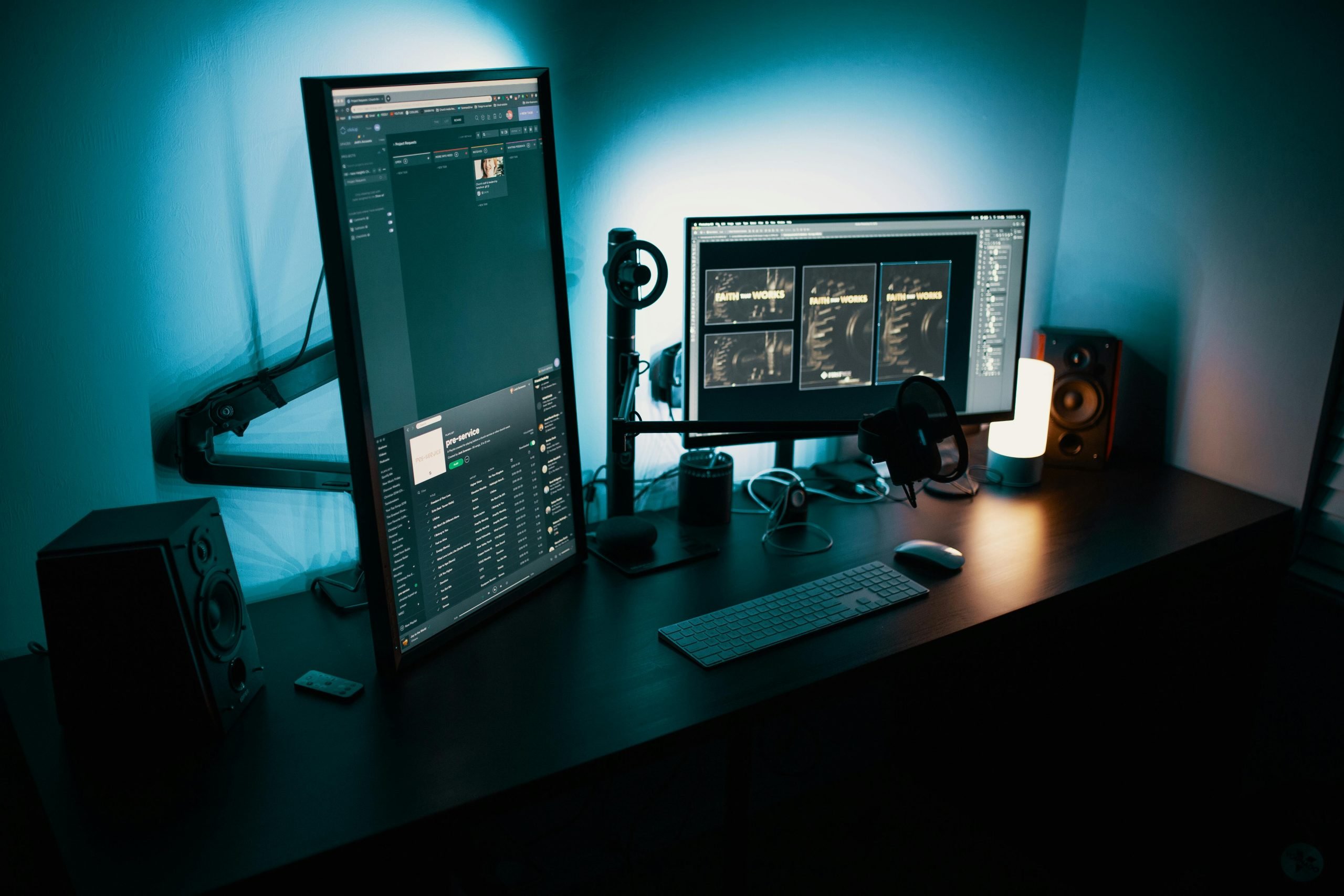
Monitor positioning becomes critical with dual setups. A systematic review in Human Factors found moderate evidence that implementing multiple monitors may result in non-neutral neck postures. If you spend roughly equal time on both screens, position them so the inner edges meet directly in front of you, each angled slightly inward at about 15 degrees. If one monitor serves as your primary workspace, place it directly ahead and position the secondary monitor to your dominant eye’s side.
I eventually settled on mismatched monitor sizes for my dual setup. A larger 32-inch primary screen handles my focused work, while a smaller 24-inch secondary screen on the left holds communication tools and reference material. This size difference creates a natural visual hierarchy, signaling to my brain which screen deserves primary attention. Finding monitor arms that actually hold steady makes positioning adjustments much easier, especially when you want to fine-tune angles for different types of work.
Ultrawide Monitors: The Introvert Sweet Spot
My current setup centers on a 34-inch ultrawide monitor, and I consider this the most introvert-friendly option I have tested. Ultrawides offer the functional benefits of multiple screens while maintaining visual cohesion. Instead of two separate frames demanding attention, you have a single continuous workspace that can be divided as needed.
According to ergonomics research, curved ultrawide monitors greater than 30 inches diagonal did not increase eye discomfort while reducing neck and shoulder discomfort compared to dual monitor setups. The reduction in neck rotation comes from the curved screen’s geometry, which keeps all content within a more natural viewing arc. Workers in the study preferred the ultrawide configuration over traditional dual monitors.
For introvert productivity, ultrawides excel because they allow controlled complexity. You can run multiple applications side by side when a task requires it, then collapse everything to full screen when you need deep focus. The absence of a bezel between windows creates less visual fragmentation, reducing the sense that you are managing multiple separate workspaces. Your brain perceives one cohesive environment rather than competing zones.
The 34-inch curved ultrawide with a 21:9 aspect ratio represents the most practical option for most workspaces. Larger 49-inch super ultrawides exist but require deeper desks to maintain proper viewing distance. Ergonomics research suggests that our visual field only spans about 60 degrees comfortably, meaning super ultrawides may require neck rotation for content placed at the edges. For reading text, stick to the center and inner thirds of any ultrawide display.

Managing Digital Distractions Across Any Setup
The most ergonomically perfect monitor arrangement means nothing if your screens display constant interruptions. During high-pressure agency deadlines, I learned that email notifications, chat badges, and browser tab counts created a background hum of anxiety that drained my mental energy long before the actual work did. Controlling what appears on your screens matters as much as how those screens are physically arranged.
A study published in the ACM digital library found that when researchers blocked non-essential websites for information workers, participants reported significantly higher productivity and longer periods of focused attention. People who were most distracted by social media showed the greatest improvements. For introverts who already struggle with overstimulation, eliminating visual distractions creates substantial productivity gains.
Consider implementing screen zones for different types of content. Reserve your primary viewing area for active work only. Keep communication tools minimized or on a secondary screen where they cannot passively capture your attention. Some introverts find scheduled email checking far more sustainable than leaving their inbox visible throughout the day. You might check messages at specific intervals rather than allowing every new arrival to fragment your concentration.
Dark mode and muted color schemes reduce visual stimulation across all monitor configurations. Bright interfaces with high-contrast notifications trigger more frequent attention shifts. A calmer visual palette helps maintain the steady focus state that introverts find most productive. Combined with proper ambient lighting, a thoughtfully designed screen environment supports hours of concentrated work without cognitive fatigue.
Ergonomic Foundations: Protecting Your Body for Sustained Focus
Physical comfort directly affects cognitive performance. Neck pain, eye strain, and back discomfort create constant low-level distractions that pull your attention away from work. Introverts who naturally gravitate toward long, uninterrupted work sessions need ergonomic setups that support extended periods of focused attention.
Monitor height remains one of the most frequently overlooked elements. Position your screen so the top edge sits at or slightly below eye level when seated with good posture. This allows your eyes to scan downward naturally rather than straining upward. Most people position their monitors too high, especially when using stands that came with the display. A good monitor arm allows precise height adjustment and reclaims desk space in the process.
Viewing distance varies with screen size. For 24-inch monitors, maintain roughly 20 to 24 inches between your eyes and the screen. Larger 27-inch screens benefit from 24 to 27 inches of distance. Ultrawides and dual setups typically require 30 to 36 inches to encompass the entire display comfortably. Position your chair and desk to achieve these distances naturally rather than constantly leaning forward or back.
I learned the hard way that investing in quality seating pays dividends in sustained focus. A chair that supports proper spinal alignment keeps you comfortable through marathon work sessions. Similarly, adjustable standing desks allow you to alternate positions throughout the day, preventing the stiffness that accumulates from static sitting.

Building Your Introvert-Optimized Workspace
Selecting the right monitor setup requires honest assessment of your work patterns. Consider how many applications you genuinely need visible simultaneously. Think about whether your tasks involve sustained focus on single projects or frequent switching between multiple contexts. Reflect on how visual clutter affects your concentration and energy levels throughout the day.
For primarily focused work like writing, analysis, or design, a single large monitor or ultrawide provides excellent results with minimal visual complexity. If your role requires constant reference to multiple sources or monitoring ongoing processes while completing primary tasks, a thoughtfully configured dual setup offers necessary flexibility. Whatever you choose, prioritize the ability to quickly simplify your visual environment when deep focus becomes necessary.
Beyond the monitors themselves, consider the complete sensory environment of your workspace. Noise-canceling headphones create audio isolation that complements your visual setup. Consistent lighting reduces eye strain and maintains steady energy throughout the day. A dedicated workspace physically and psychologically separated from leisure areas helps your brain shift into productive focus when you sit down to work.
The goal is not maximizing screen real estate or assembling the most impressive setup. What matters is creating an environment where your introvert brain can operate at its best. Sometimes that means fewer screens with more intentional use. Other times it requires the flexibility of multiple displays configured to minimize distraction while supporting complex workflows. Your optimal setup may evolve as your work changes, and building flexibility into your workspace allows adaptation without starting from scratch.
Making Your Monitor Investment Work for You
Quality monitors represent a significant investment, but they remain one of the most impactful upgrades for knowledge workers who spend substantial time at their desks. Unlike computers that become obsolete, a well-chosen monitor can serve productively for a decade or longer. Consider resolution, panel type, and refresh rate based on your specific use cases rather than chasing specifications that look impressive but provide minimal practical benefit.
For most professional work, 4K resolution on a 27-inch or larger screen offers noticeable clarity improvements that reduce eye strain during extended use. IPS panels provide superior color accuracy and viewing angles compared to VA or TN alternatives, important if your work involves visual evaluation. Higher refresh rates above 60Hz matter primarily for video work or gaming, not typical productivity applications.
USB-C connectivity has simplified workstation management considerably. A single cable connecting your laptop to a compatible monitor can transmit video, data, and power simultaneously. This reduces cable clutter and streamlines transitions between mobile and desk-based work. When evaluating monitors, verify compatibility with your existing devices before purchasing.

Finding Your Flow State Through Intentional Design
After years of experimenting with different configurations, I have concluded that the best monitor setup for introverts is the one that disappears from conscious awareness. When your screens simply facilitate work without creating friction or distraction, you have achieved the goal. The technology becomes invisible, leaving only your focus and the task at hand.
This might look different for each person. Some introverts thrive with a single full-screen window on a modest monitor, finding freedom in constraints. Others need the flexibility of multiple screens carefully organized to prevent visual chaos. What matters is understanding your own working patterns and designing an environment that supports rather than fights against them.
Your workspace is one of the few elements of modern work life you can actually control. In an era of open offices, constant connectivity, and endless demands on attention, the ability to craft a focused environment feels increasingly valuable. For introverts who do their best thinking in calm, controlled spaces, optimizing your monitor setup offers a practical pathway to sustained productivity and professional wellbeing.
Frequently Asked Questions
What is the best monitor size for introverts working from home?
For most introverts working from home, a 27 to 34 inch monitor offers the best balance between usable space and manageable visual complexity. This size range provides enough room for comfortable split-screen work when needed while remaining small enough to view without excessive head movement. Your specific choice should depend on desk depth and viewing distance preferences.
Should introverts use dual monitors or a single ultrawide?
Ultrawides generally work better for introverts because they eliminate the visual fragmentation created by bezels between multiple screens. The continuous display surface feels less chaotic while still offering the ability to view multiple windows simultaneously. Dual monitors make sense if you specifically need to orient one display vertically or require larger total screen space than ultrawides provide.
How do I reduce eye strain when using multiple monitors?
Maintain proper viewing distance based on your monitor sizes, typically 20 to 36 inches depending on screen dimensions. Enable dark mode and reduce screen brightness to match ambient lighting. Position monitors at eye level or slightly below to reduce upward strain. Follow the 20-20-20 rule, looking at something 20 feet away for 20 seconds every 20 minutes.
What monitor settings help introverts focus better?
Enable dark mode across applications to reduce visual stimulation. Turn off notification badges and pop-ups for non-essential applications. Use virtual desktops to separate work contexts rather than displaying everything simultaneously. Consider blue light filtering in the evening hours to support natural energy cycles and prevent digital fatigue from accumulating.
Is it worth investing in an expensive monitor for productivity?
Quality monitors directly impact comfort and productivity for anyone spending substantial time at their desk. A well-chosen monitor can serve effectively for a decade, making the per-day cost quite reasonable. Prioritize features that matter for your specific work, such as resolution for detailed tasks or color accuracy for visual work, rather than paying for specifications you will not use.
Explore more Introvert Tools & Products resources in our complete Introvert Tools & Products Hub.
About the Author
Keith Lacy is an introvert who’s learned to embrace his true self later in life. With a background in marketing and a successful career in media and advertising, Keith has worked with some of the world’s biggest brands. As a senior leader in the industry, he has built a wealth of knowledge in marketing strategy. Now, he’s on a mission to educate both introverts and extroverts about the power of introversion and how understanding this personality trait can unlock new levels of productivity, self-awareness, and success.