

An introvert home office works best when it eliminates sensory friction, protects deep work windows, and reflects how your brain actually processes information. The right setup reduces decision fatigue, shields your energy from interruption, and creates the conditions where focused, sustained thinking becomes the default rather than the exception.
Most home office advice is written for people who find silence uncomfortable. Add some background music, keep the door open, set up video calls throughout the day to stay connected. That advice works for a certain kind of person. It doesn’t work for me, and I’d guess it doesn’t work for you either.
My mind does its best work in a very specific kind of quiet. Not dead silence, exactly, but a controlled environment where I’m choosing every element of my sensory experience rather than absorbing whatever happens to be present. That distinction matters more than most productivity advice acknowledges.
After two decades running advertising agencies, I learned what happens when that environment breaks down. Creativity stalls. Decisions feel harder than they should. You spend the afternoon recovering from a morning of interruptions instead of building on the momentum of focused work. The home office, designed thoughtfully, can change all of that.

If you want to go deeper on how introverts think, work, and build environments that support their strengths, the Ordinary Introvert productivity hub covers the full picture. This article focuses specifically on the physical and psychological design of a home workspace that genuinely serves an introverted mind.
Why Does the Physical Environment Affect Introverts So Differently?
A 2021 study published through the National Institutes of Health found that introverts show higher baseline arousal levels in the brain’s reticular activating system, which means external stimulation pushes them past their optimal threshold much faster than it does their extroverted counterparts. That’s not a weakness. It’s simply a different calibration, one that demands a different environment to perform well.
What’s your personality type?
Take our free 40-question assessment and get a detailed personality profile with dimension breakdowns, context analysis, and personalised insights.
Discover Your Type8-12 minutes · 40 questions · Free
What this looks like in practice: I can walk into a room with three conversations happening, a television on in the background, and a phone buzzing on the desk, and within about ten minutes, my cognitive processing slows noticeably. Not because I’m distracted in the casual sense, but because my nervous system is doing extra work filtering all of it. By the time I sit down to write or think strategically, I’ve already spent energy I needed for the actual work.
Extroverts often experience that same environment as energizing. The stimulation raises their arousal to a productive level. For someone wired the way I am, it does the opposite.
Understanding this biology matters because it reframes home office design from an aesthetic choice into a functional one. You’re not decorating a room. You’re engineering conditions for a specific kind of cognitive performance.
What Makes a Home Office Actually Work for an Introverted Brain?
The honest answer is that it’s less about any single element and more about the cumulative effect of intentional choices. Every decision you make about your workspace either adds to your cognitive load or reduces it. The goal is a space where your brain can settle quickly into focused work without spending its first hour managing the environment.
Sensory Control Comes First
Sound is the variable I’ve spent the most time managing. Open-plan offices were genuinely difficult for me, even when I was the one who’d signed the lease on them. There’s a particular kind of cognitive cost to filtering ambient conversation, and it compounds across a workday in ways that are hard to measure but impossible to ignore once you’ve experienced its absence.
At home, you have control that no corporate office will ever give you. A dedicated room with a door is the single highest-leverage investment you can make. Not because silence is mandatory, but because the ability to choose your sound environment is. Some days I work in complete quiet. Other days I use low-frequency ambient sound, something without lyrics or melodic hooks that my pattern-recognition brain will follow instead of letting go.
The American Psychological Association has documented the relationship between environmental noise and cognitive performance across multiple studies, consistently finding that unpredictable, uncontrollable noise impairs concentration and working memory more than predictable background sound. Controllability is the variable. Your home office gives you that control. Use it deliberately.
Light matters in a similar way. Harsh overhead fluorescents create a low-grade visual stress that accumulates across a day. Natural light from a window positioned to the side rather than directly behind or in front of your screen reduces eye strain and supports the kind of calm alertness that deep work requires. If natural light isn’t available, warm-spectrum LED lighting at a moderate brightness level tends to work better than the cool blue-white of standard office lighting.

Visual Complexity Is a Hidden Energy Drain
I didn’t fully appreciate this until I moved from a shared agency space into my first home office. My desk at the agency was covered in account briefs, creative samples, sticky notes with phone numbers, and the general visual noise of a busy creative shop. I thought that was just how work looked. It took about three months of working from home, in a space I’d deliberately kept minimal, to realize how much cognitive energy I’d been spending simply processing my visual field.
You might also find productive-solitude-working-in-isolation helpful here.
Visual clutter isn’t just aesthetically unpleasant. Every object in your field of view is a potential trigger for a tangential thought, a task you haven’t completed, a decision you haven’t made. For someone whose brain processes information deeply and continuously, that adds up fast.
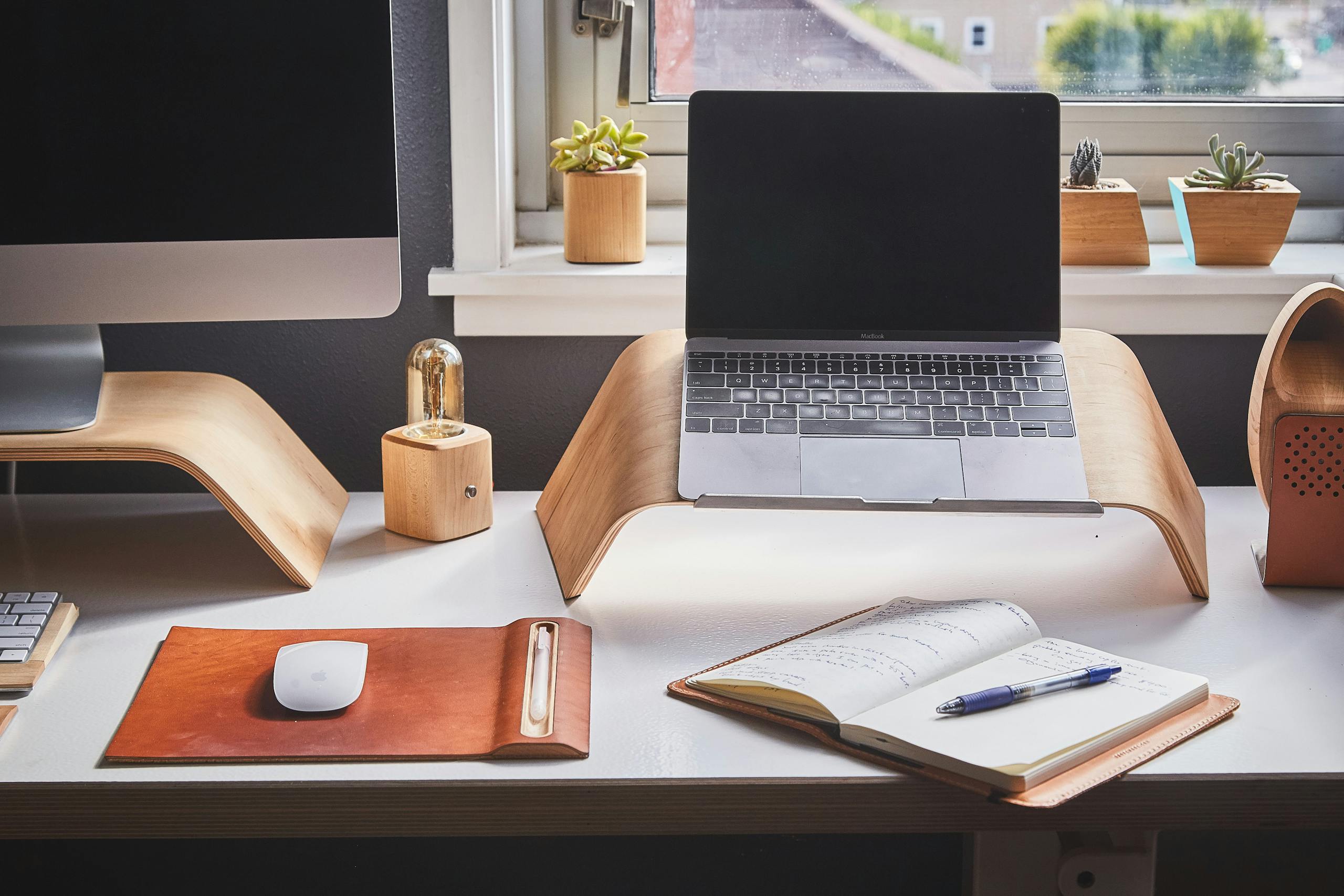
A minimal desk surface with only the tools you’re actively using, walls that are either neutral or hold a single meaningful image, and storage solutions that keep everything out of sight during work hours will do more for your focus than almost any productivity system you can layer on top of a chaotic environment.
How Should You Structure Your Workday Around Your Energy, Not a Clock?
One of the most significant advantages of a home office is that you can align your work to your actual energy patterns rather than to the arbitrary rhythm of a shared office schedule. Most introverts have a clear peak focus window, a two to four hour stretch where deep thinking feels almost effortless. Outside that window, the same tasks feel laborious.
For me, that window is mid-morning, roughly 8:30 AM to noon. I learned this by paying attention across years of agency work, noticing when my best strategic thinking happened versus when I was just moving paper around. At home, I protect that window fiercely. No calls scheduled. No email checked. No Slack notifications. Just the work that requires the most cognitive depth.
Administrative tasks, email responses, routine decisions, those go in the afternoon when my energy has naturally shifted to a lower gear. The work still gets done. It just gets matched to the right fuel level.
The Harvard Business Review has published extensive research on the cost of cognitive switching, the mental overhead of moving between different types of tasks. Batching similar work together isn’t just a productivity trick. For an introverted brain that requires time to fully engage with a problem, it’s a structural necessity. Every time you break deep focus to handle something shallow, you pay a re-entry cost that can take twenty minutes or more to recover from.
Does Your Digital Environment Matter as Much as the Physical One?
More than most people realize, yes. The physical space of your home office is one layer. The digital environment layered on top of it is another, and it can undo all the careful work you’ve done with lighting and sound and visual clarity.
Notification architecture is where I’d start. Every notification your phone or computer generates is an interruption to your attention, even if you don’t consciously respond to it. The ping registers. Your brain allocates resources to evaluate whether it requires action. That process happens whether you want it to or not.
During deep work periods, my phone is in another room. Not on silent, not face-down on the desk. In another room. My computer notifications are off entirely. Email is checked twice a day, at specific times I’ve chosen in advance. These aren’t dramatic measures. They’re the minimum viable conditions for the kind of focused work that actually moves things forward.
Browser management matters too. Multiple open tabs are the digital equivalent of visual clutter. Each one is a potential distraction, a half-finished thought, an unresolved task competing for your attention. A single-tab working practice, where you open only what you’re actively using and close everything else, sounds almost too simple to make a difference. It makes a significant difference.

What Role Does Ritual Play in Entering a Deep Focus State?
Psychological research on habit formation suggests that environmental cues and consistent pre-work rituals help the brain shift into a focused state more quickly and reliably than willpower alone. The Mayo Clinic has written about the relationship between routine and mental performance, noting that predictable sequences reduce decision fatigue and lower the cognitive barrier to starting difficult tasks.
My own ritual is specific and non-negotiable on productive days. Coffee made in the kitchen, not at my desk. A ten-minute walk outside before I sit down. The same playlist of low-frequency instrumental music queued up. My notebook opened to a fresh page where I write the single most important thing I intend to accomplish that day. Then I close the notebook and begin.
That sequence takes about twenty minutes. What it does is signal to my nervous system that focused work is beginning. After enough repetitions, the ritual itself becomes a trigger. By the time I’m sitting down with the notebook open, my brain is already shifting into a different gear.
The specific ritual matters less than its consistency. What you’re building is a reliable on-ramp to deep focus, a sequence your brain learns to associate with sustained concentration. For introverts who often need more time than extroverts to fully disengage from external stimulation and settle into internal processing, that transition ritual is genuinely valuable.
How Can You Protect Your Energy During the Workday Without Becoming Isolated?
This is a real tension, and I want to be honest about it. The home office can become a refuge in a way that isn’t always healthy. There’s a difference between protecting your energy intentionally and withdrawing from connection out of avoidance. I’ve been on the wrong side of that line, and it’s worth naming.
The most useful framework I’ve found is to schedule connection rather than leaving it open-ended. Spontaneous social interaction throughout the day is draining for most introverts. Planned connection at predictable times is different. You can prepare for it, engage fully during it, and then return to solitary work without the residue of an unexpected interruption.
During my agency years, I developed a practice of scheduling all client calls in a two-hour block on Tuesday and Thursday afternoons. Not because I was avoiding clients, but because batching those interactions meant I could fully prepare for each one, bring genuine presence to the conversation, and then have clean, uninterrupted time on either side. Clients actually got a better version of me that way. So did the work.
At home, you can apply the same logic. Set office hours for calls and video meetings. Use asynchronous communication as your default rather than your fallback. Give yourself permission to be unavailable during deep work windows without treating that unavailability as something that needs justification.
Psychology Today has explored the concept of introvert energy management extensively, and the consistent finding is that introverts don’t need to avoid people. They need to manage the conditions of their social interactions so that connection feels restorative rather than depleting. The home office is where you have the most control over those conditions.
What Physical Elements Actually Improve Cognitive Performance?
Beyond the environmental factors already covered, a few specific physical elements make a measurable difference in how well your brain functions during sustained work.
Ergonomics and Physical Comfort
Physical discomfort is a constant low-level distraction. A chair that causes back pain after an hour, a monitor positioned too low so you’re looking down all day, a desk height that creates shoulder tension, these aren’t minor inconveniences. They’re continuous signals your nervous system has to manage while simultaneously trying to support focused cognitive work.
An ergonomic chair, a monitor at eye level, a keyboard and mouse positioned so your wrists are neutral, these investments pay returns in sustained focus that far exceed their cost. I resisted spending money on a quality chair for longer than I should have, convincing myself it was an indulgence. The difference when I finally did was immediate and undeniable.
Plants and Natural Elements
A 2015 study from the University of Exeter found that workers in offices with plants showed a 15% increase in productivity compared to those in minimal spaces. The mechanism appears to be related to attention restoration theory, the idea that natural elements allow the directed attention system to rest and recover. The National Institutes of Health has published related research on the psychological benefits of exposure to natural elements, even in small doses.
I keep two plants on my desk. Not for aesthetic reasons, though they do make the space feel more alive. They’re there because after long stretches of screen-focused work, shifting my gaze to something green and organic seems to genuinely reset something. It’s a small thing. It works.

Temperature and Air Quality
Most people don’t think about air quality as a productivity variable, but the Centers for Disease Control and Prevention has documented the relationship between indoor air quality and cognitive function. A stuffy, poorly ventilated room creates a subtle cognitive fog that compounds over hours. Cracking a window, using an air purifier, or simply ensuring adequate ventilation in your workspace addresses a variable that’s easy to overlook and genuinely affects how clearly you think.
Temperature is similar. Most research points to a range of 68 to 77 degrees Fahrenheit as optimal for cognitive work. Too cold and your body is diverting energy to temperature regulation. Too warm and alertness drops. Your home office gives you control over this that a shared office never will.
How Do You Maintain Boundaries When Home and Work Occupy the Same Space?
This is the question I hear most often from introverts who’ve transitioned to remote work, and it’s genuinely difficult. The psychological separation between work and rest is something most people take for granted when they commute. At home, that separation has to be constructed deliberately.
Physical separation helps enormously. A dedicated room with a door that closes is the ideal. If that’s not possible, a dedicated corner with a visual boundary, a bookshelf, a room divider, a specific chair that’s only used for work, creates enough psychological distinction to support the transition between modes.
End-of-day rituals matter as much as beginning-of-day ones. Closing my laptop, putting my notebook away, and taking a short walk signals to my brain that work is finished. Without that ritual, I found myself mentally still in work mode at 7 PM, reviewing decisions, planning tomorrow’s agenda, unable to fully disengage. The ritual creates the transition that a commute used to provide.
For introverts specifically, the blurring of work and rest is particularly costly because we need genuine downtime to process the day’s experiences and restore our energy. A home office that bleeds into your living space without clear boundaries doesn’t give you the recovery time your nervous system requires. You end up working longer hours while actually accomplishing less, because you’re never fully in either mode.
What Are the Deeper Productivity Gains That Come From Designing for Your Nature?
There’s a version of home office optimization that’s purely tactical: better chair, quieter space, fewer notifications. That version is useful. There’s also a deeper version, one that took me years to understand, about what becomes possible when you stop fighting your own wiring.
During my agency years, I spent enormous energy trying to perform extroversion. Being visibly available. Keeping an open-door policy even when it cost me hours of focused work. Participating in the spontaneous social rhythms of an office environment that wasn’t designed for how I actually think. I was reasonably good at all of it. I was also chronically tired in a way that had nothing to do with the volume of work and everything to do with the mismatch between my environment and my nature.
The home office, designed intentionally, was the first environment where I stopped paying that tax. The quality of my thinking improved. My writing became clearer. Strategic decisions that used to take days of mulling started resolving more quickly, because I wasn’t arriving at them already depleted.
The American Psychological Association has published work on person-environment fit, the degree to which an individual’s characteristics align with their environment’s demands, and its relationship to performance and wellbeing. The research consistently shows that misalignment between personality and environment creates chronic stress that degrades both. Alignment does the opposite.
Your home office is the one environment you have almost complete control over. Designing it to fit how you actually work isn’t a luxury or an indulgence. It’s the most practical productivity investment available to you.
Explore more on how introverts can build environments and careers that align with their strengths in the Ordinary Introvert productivity and workplace hub.
About the Author
Keith Lacy is an introvert who’s learned to embrace his true self later in life. After 20 years in advertising and marketing leadership, including running agencies and managing Fortune 500 accounts, Keith now channels his experience into helping fellow introverts understand their strengths and build fulfilling careers. As an INTJ, he brings analytical depth and authentic perspective to every article, drawing from both professional expertise and personal growth.
Frequently Asked Questions
What is the most important feature of an introvert home office?
Sensory control is the most important feature. The ability to manage sound, light, and visual complexity in your workspace directly affects how much cognitive energy you spend managing your environment versus doing actual work. A room with a door that closes gives you that control more reliably than any other single feature.
How do introverts stay productive working from home without becoming isolated?
Scheduling connection rather than leaving it open-ended is the most effective approach. Batch calls and video meetings into specific time blocks, use asynchronous communication as your default, and give yourself permission to be unavailable during deep work periods. Planned social interaction tends to feel energizing rather than draining because you can prepare for it and recover from it with clean boundaries on either side.
Does background music help or hurt introvert focus?
It depends on the type of music and the nature of the work. Low-frequency ambient sound without lyrics or strong melodic hooks tends to support sustained focus for many introverts by masking unpredictable environmental noise without creating new cognitive demands. Music with lyrics or complex melodic patterns competes with language-based thinking and generally hurts performance on tasks requiring reading, writing, or verbal reasoning.
How should an introvert set up their workday schedule at home?
Align your most cognitively demanding work with your peak energy window, which for most introverts falls in the morning. Protect that window from meetings, calls, and administrative tasks. Schedule all interaction-heavy work in a batched block during lower-energy afternoon hours. End the workday with a consistent ritual that signals transition out of work mode, since introverts need genuine downtime to process and restore energy.
What simple changes make the biggest difference in an introvert home office?
Three changes tend to produce the most immediate impact: clearing your desk surface to only what you’re actively using, turning off all non-essential notifications during work hours, and establishing a consistent pre-work ritual that helps your brain shift into focused mode. These address the three primary energy drains, visual clutter, digital interruption, and slow focus transitions, without requiring significant investment or renovation.