
I looked like I was calling from inside a refrigerator. That’s what a client told me, and honestly, they weren’t wrong. My laptop’s built-in camera combined with overhead lighting had transformed me into a washed-out, slightly green ghost with raccoon-eye shadows. The white wall behind me looked nuclear. It wasn’t professional. It wasn’t even close to human.
That comment was my breaking point. After 20 years in marketing and advertising, working with Fortune 500 brands and running agencies, I knew presentation mattered. But I’d convinced myself that content was king, that what I said mattered more than how I looked saying it. I was wrong. When you look unprepared on video, people listen less. They interrupt more. You lose credibility before you even speak.
So I did what any analytical introvert would do. I went overboard. I tested nine different webcams over three months, documenting image quality, software capabilities, and real-world performance across dozens of client calls. At one point, I had three webcams clipped to my monitor like CCTV cameras. My son asked if I was streaming the house to NASA.
This isn’t about vanity. It’s about removing variables that drain your energy. Stanford University’s findings in Technology, Mind and Behavior confirm something most of us already feel: videoconferencing creates unique cognitive demands that contribute to exhaustion. When you know you look presentable without constant adjustment, your pre-call stress drops. You stop thinking about how you appear and focus on what you’re actually saying. Bad video quality is a micro-stress that compounds across every meeting in your day. A stable, flattering image saves cognitive load.
Here’s what I learned after burning through hundreds of hours of video calls with different webcam setups. Some of these insights surprised me. Others confirmed what I’d suspected but never tested systematically.
Why Your Current Webcam Makes You Look Like a Suspect
Most built-in laptop cameras were designed around 2015 specifications and never updated. They produce flat, noisy images with poor dynamic range. Combined with typical home office lighting, particularly overhead lights, they create the worst possible conditions for human faces.
What’s your personality type?
Take our free 40-question assessment and get a detailed personality profile with dimension breakdowns, context analysis, and personalised insights.
Discover Your Type8-12 minutes · 40 questions · Free
The technical issues compound quickly. Small sensors struggle in anything less than bright daylight. Poor white balance algorithms make you look either jaundiced or hypothermic. Fixed focus means you’re either sharp or slightly blurred depending on where you sit. And the narrow field of view makes you look uncomfortably close, like you’re conducting the meeting from inside someone’s personal space.
I spent five years doing video calls with my laptop camera before upgrading. The difference wasn’t subtle. Colleagues immediately commented that I looked “awake” with the same face, just better exposure. One asked if I’d repainted my office. I hadn’t. The camera was finally rendering wall colors accurately instead of turning everything into a fluorescent wasteland.
A study in Cureus found that over 85% of video conferencing participants identified at least one disliked facial or body feature during calls, with time spent on video significantly correlated with self-perception issues. This isn’t superficial concern. It’s understanding that professional presence matters in remote work environments where video is your primary interface.

| Rank | Item | Key Reason |
|---|---|---|
| 1 | Proper Lighting Setup | More important than the camera itself for how you look on video. A simple key light costs $40-60 and makes bigger difference than expensive cameras. |
| 2 | Sensor Size and Processing | Matters infinitely more than pixel count. Determines image quality, noise levels, and color accuracy in typical home office lighting conditions. |
| 3 | Camera Eye Level Position | Single positioning change improves appearance more than any other adjustment. Prevents uncomfortably close framing and unflattering angles during video calls. |
| 4 | Anker PowerConf C200 | Recommended entry-level option for professionals seeking results without extensive research. Handles basics well at accessible price point with small key light addition. |
| 5 | Razer Kiyo Pro | Sweet spot option offering professional appearance with consistent, flattering images. Minimal setup required without chasing unnecessary specifications. |
| 6 | Elgato Facecam 1080p | Produces consistent, flattering images with minimal setup. Represents value option for those able to stretch budget slightly beyond entry-level. |
| 7 | Elgato Facecam Pro | Justified for professionals spending hours daily on video calls. Provides reliability and image quality that justifies premium price through minimal adjustment needs. |
| 8 | 1080p Resolution | Sufficient for video calls when properly framed. Beats mediocre 4K sensors with good processing. Resolution matters less than sensor quality and algorithms. |
| 9 | Manual Exposure and White Balance | Takes five minutes to configure but eliminates inconsistency from auto settings. Prevents distracting variations across calls and requires no ongoing adjustment. |
| 10 | Side Key Light Positioning | 30 to 45 degrees off-axis and slightly above eye level creates natural shadows adding dimension. Prevents flat, unflattering appearance from direct front lighting. |
| 11 | Software Control Applications | Deserves equal weight to hardware. Allows locking exposure, manual white balance setting, and fine-tuning sharpness for optimal video presence. |
| 12 | Skin Tone Accuracy | Determines whether you appear healthy or ill on camera. Critical factor tested over marketing claims about resolution or tracking features. |
The Testing Process: What Actually Matters
I tested nine webcams with specific criteria developed over years of professional video communication. Resolution matters less than you’d think. Sensor size, processing algorithms, and software control matter far more.
My testing focused on what actually affects how human you look on camera. Skin tone accuracy determines whether you appear healthy or ill. Highlight roll-off affects whether bright areas behind you blow out to white. Low-light noise determines how grainy you look in typical home office conditions. Focus and exposure consistency matter because you don’t want to constantly adjust settings mid-meeting.
The software component deserves equal weight to hardware. Webcams with robust control applications let you lock exposure, set white balance manually, and fine-tune sharpness. Without these controls, you’re at the mercy of auto-everything algorithms that constantly readjust, making you look different frame to frame.
Field of view turned out to be surprisingly important. Ultra-wide cameras make you look like security footage. Too narrow makes you look uncomfortably close. The sweet spot is 65 to 78 degrees, which gives you natural framing with slight context of your surroundings without looking like surveillance.

The Nine Webcams I Actually Tested
I started with research but quickly realized that specifications don’t tell the real story. Marketing claims about 4K resolution or AI tracking mean nothing until you see how they perform in actual meeting conditions. Here’s what I tested and why each made the list.
Premium Tier: When Image Quality Matters Most
Elgato Facecam Pro became my daily driver after three months of testing. It produces clean, natural color with fast autofocus and excellent software control. Most importantly, it remembers settings between calls. I set my exposure and white balance once and never think about it again. For introverts who dread technical fiddling before every meeting that drains energy, this reliability matters.
The sensor handles mixed lighting better than anything else I tested. My office has a window to the left and overhead lights. Most webcams struggle with this setup, constantly adjusting exposure and making my face flicker between bright and dark. The Facecam Pro locks it in and maintains consistency.
Insta360 Link surprised me completely. I expected gimmicky AI features that worked poorly. Instead, I got the most sophisticated auto-exposure and face tracking I’ve seen in a webcam. It physically follows your face with a gimbal, but more importantly, it maintains perfect exposure even when you move or lean back.
This matters more than it sounds. Most webcams optimize exposure for wherever you are when the call starts. If you lean forward to look at notes or shift in your chair, the exposure changes. The Link compensates automatically. For presentations where you’re demonstrating things or moving around, it’s unmatched.
Logitech Brio 4K remains a solid choice if you’re already invested in Logitech’s ecosystem. It requires their G Hub software for best results, but with proper configuration and adequate lighting, it produces professional results. The 4K sensor allows for some digital zoom without quality loss, useful for adjusting framing without physically moving the camera.
Mid-Range Options: Best Balance for Most People
Razer Kiyo Pro delivers excellent image quality without the premium price. The larger sensor handles low light better than cheaper options. It lacks some software features of premium cameras but produces consistently good images out of the box. If you want to look professional without extensive configuration, this is your camera.
Elgato Facecam (the 1080p version) strips out some features of the Pro model but maintains the core image quality and software control. If you don’t need 4K and want Elgato’s excellent software without the premium price, this makes sense.
OBSBOT Tiny 2 brings AI face tracking to the mid-range. It’s impressive for the price, though not quite as sophisticated as the Insta360 Link. For people who move around during calls or want creative framing options, it’s worth considering.

Budget Options: Surprising Quality for the Price
Anker PowerConf C200 shocked me with how decent it looks with proper lighting. It won’t compete with premium cameras in challenging conditions, but in good light, it produces surprisingly professional results. For someone just starting to upgrade from a laptop camera, this represents massive improvement for minimal investment.
Logitech C920 remains the legendary safe choice. It’s old technology now, but it works reliably on every platform with every application. If you want something that just works without drama, the C920 won’t disappoint. It needs good lighting to look its best, but at this price point, that’s expected.
I also tested a nameless 4K Amazon special that promised professional results. It produced oversharpened, smeary images with haunted-house color grading. Some cheap cameras are bargains. Others are just cheap. Stick with known brands.
What I Learned About 4K, Ring Lights, and Other Marketing Myths
4K resolution is not automatically better. I learned this the hard way after buying into marketing hype. A good 1080p sensor with proper processing beats a mediocre 4K sensor every time. Resolution matters for cropping or digital zoom, but for video calls where you’re properly framed, 1080p is plenty.
The sensor size and processing algorithms matter infinitely more than pixel count. Small sensors struggle to gather enough light, producing noisy, grainy images even in decent lighting. Cheap processing creates artifacts, weird colors, and that oversharpened webcam look that screams “cheap camera.”
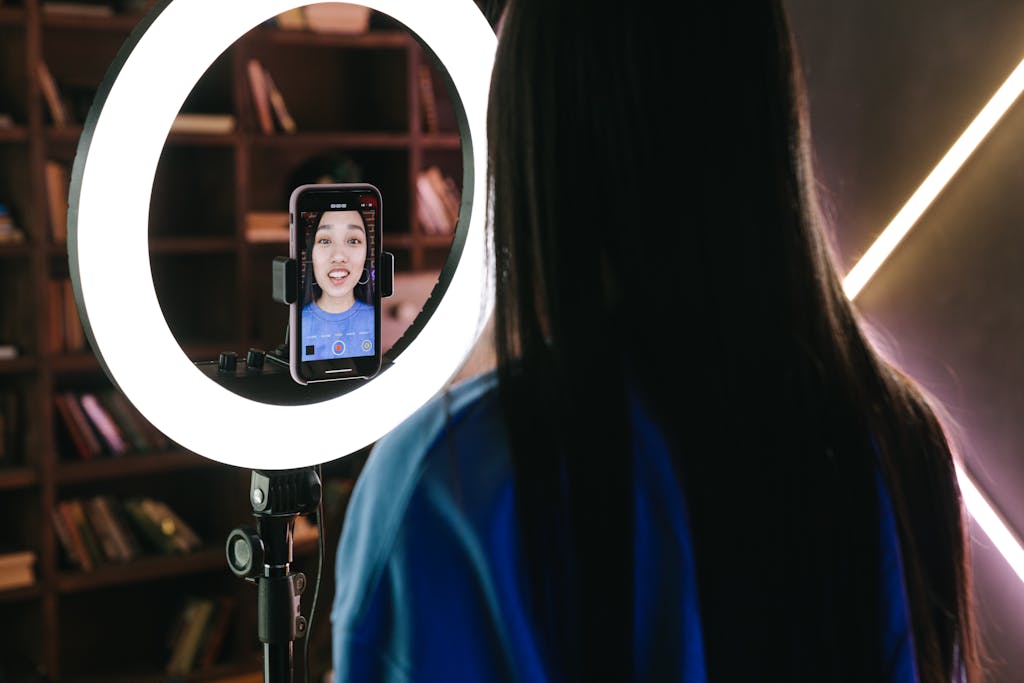
Ring lights don’t fix everything. In fact, they often make things worse by flattening your face. Direct front lighting eliminates shadows, which eliminates depth and dimension. You end up looking two-dimensional and slightly alien. The Professional Photographers of America has documented how proper portrait lighting techniques emphasize side lighting at 30 to 45 degrees off-axis to create natural-looking shadows that add dimension to faces.
White balance matters more than most people realize. Auto white balance constantly adjusts, making your skin tone change throughout calls. Locking white balance in your camera software creates consistency. The difference is subtle frame to frame but obvious over the course of a meeting.
The Introvert-Specific Considerations That Nobody Talks About
Video calls drain introverts differently than in-person meetings. The constant self-monitoring of how you appear on screen adds cognitive load that compounds exhaustion. A webcam that makes you look good without constant attention reduces this drain significantly.
I noticed a measurable difference in my energy levels after upgrading. When I stopped worrying about whether I looked washed out or whether the lighting was acceptable, I could focus entirely on the conversation. That mental bandwidth saved across multiple daily calls added up to noticeably less exhaustion by the end of the day.
People treat you differently based on your video quality. It’s subtle but real. Entrepreneur magazine explored how professional video presence significantly impacts perceived credibility and competence. With clear, well-lit video, people interrupt less and seem to take you more seriously. You appear prepared and professional, which creates a halo effect that extends to how they receive your actual contributions. It’s frustrating that this matters, but it absolutely does.
For introverts who already find video calls exhausting, looking good enough to stop thinking about it becomes crucial. Every variable you can eliminate, every source of ambient anxiety you can remove, preserves energy for what actually matters. This connects directly to broader strategies for managing workplace anxiety and maintaining professional effectiveness.
My Actual Recommendations: What to Buy for Your Situation
If you’re just starting out and want professional results without research, get the Anker PowerConf C200 and add a small key light. This combination costs roughly what most people spend on lunch for a week but transforms how you look on video. The camera handles the basics well, and the light eliminates most image quality problems.
If you can stretch your budget slightly, the Razer Kiyo Pro or Elgato Facecam 1080p represent the sweet spot. You’ll look legitimately professional without chasing specifications you don’t need. Both produce consistent, flattering images with minimal setup.
For professionals who spend hours daily on video calls, the Elgato Facecam Pro justifies its price through reliability and image quality. Set it once, forget about it, and look good on every call for years. The time saved not fiddling with settings and the reduced cognitive load across hundreds of calls makes the premium worth paying.
If you move around during calls or want creative framing options, the Insta360 Link’s face tracking works brilliantly. It’s more expensive than fixed cameras, but the auto-exposure consistency and tracking capability create truly set-and-forget operation.
The Setup That Actually Matters: Beyond the Camera
Lighting changes everything. More than the camera itself, proper lighting determines how you look on video. I initially thought upgrading the camera would solve all problems. It helped significantly, but adding a simple key light made an even bigger difference.
Position a small LED panel 30 to 45 degrees off-axis, slightly above eye level, pointing down at your face. This creates natural-looking shadows that add dimension. If your workspace has a window, position it so daylight comes from the side rather than behind you. Backlight turns you into a silhouette. I’ve tested various smart lighting setups for focus, and the same principles that help concentration also create better video presence.
Camera height matters more than most people realize. Your webcam should be at eye level or slightly above. Laptop cameras positioned below your face create an unflattering upward angle that adds visual weight and looks unprofessional. Even premium cameras look bad when positioned poorly. Consider a quality monitor arm that lets you position both your screen and mounted webcam at the ideal height.
Background considerations affect your overall presentation. You don’t need an elaborate setup, but avoid bright windows behind you or distracting clutter. A simple, clean background with some depth looks natural. Virtual backgrounds work in a pinch but often create weird artifacts around your head that look artificial.
What My Testing Actually Cost Me (And What You Can Skip)
I spent roughly three thousand dollars testing these nine cameras. You obviously don’t need to do that. What you need is one camera that fits your budget and requirements, plus basic lighting that costs forty to sixty dollars.
The learning curve surprised me. I expected premium cameras to work perfectly out of the box. They don’t. Every camera requires some software configuration to look its best. Budget cameras need perfect lighting. Premium cameras give you more flexibility but still benefit from proper setup.
The time investment proved worthwhile professionally. I spent months testing, but I’ve recouped that time through more efficient meetings where I’m not distracted by technical concerns or worried about how I appear. For someone whose work depends on video communication, this turned out to be one of the highest-return investments I’ve made.
The Bottom Line for Introverts Who Just Want to Look Human
You don’t need the most expensive webcam. You need one that produces consistent, flattering results without constant attention. Combined with basic lighting, even mid-range cameras produce professional results.
Start with lighting before buying an expensive camera. A cheap camera with good light looks better than an expensive camera with bad light. If you can only afford one upgrade, get a small panel light first.
Lock your exposure and white balance in software. Auto-everything creates inconsistency that’s distracting. Manual controls seem intimidating initially but take five minutes to set up and then never need adjustment.
Elevate your camera to eye level. This single positioning change improves how you look more than any other adjustment. Buy a simple arm mount or stack books under your laptop, whatever works.
Remember that looking good on video isn’t vanity. It’s removing a variable that affects how people receive your ideas. When you stop thinking about how you appear, you can focus entirely on what you’re trying to communicate. That’s the real goal.
For introverts navigating professional development and career advancement, eliminating these micro-stressors from daily work creates space for the strategic thinking and deep work where we naturally excel. The right webcam setup isn’t about perfection. It’s about removing obstacles between you and your best work.
This article is part of our Introvert Tools & Products Hub , explore the full guide here.
About the Author
Keith Lacy is an introvert who’s learned to embrace his true self later in life. With a background in marketing and a successful career in media and advertising, Keith has worked with some of the world’s biggest brands. As a senior leader in the industry, he has built a wealth of knowledge in marketing strategy. Now, he’s on a mission to educate both introverts and extroverts about the power of introversion and how understanding this personality trait can unlock new levels of productivity, self-awareness, and success.