The best tools to work remotely give introverts something most open offices never could: genuine control over their environment, their energy, and how they show up each day. After two decades running advertising agencies where I was expected to perform extroversion on demand, I can tell you that working remotely changed something fundamental about how I operate. Not because I stopped caring about connection or collaboration, but because I finally had the space to think clearly before I spoke.
Remote work isn’t automatically easier for introverts, but with the right setup, it becomes something close to ideal. The tools you choose shape everything from how drained you feel at 4 PM to whether your best ideas ever actually surface.

If you’re building out your remote work life and want to see how tools fit into a broader picture of introvert-friendly resources, our Introvert Tools and Products Hub is a good place to start. It covers everything from productivity systems to books that help you understand your own wiring more clearly.
Why Do Introverts Thrive With the Right Remote Setup?
There’s a reason so many introverts describe their first fully remote workweek as a relief. It isn’t laziness or avoidance. It’s that the structure of most physical offices was never designed with our cognitive style in mind.
Career Coaching for Introverts
One-on-one career strategy sessions with Keith Lacy. 20 years of Fortune 500 leadership as an introvert, now helping others build careers that work with their wiring.
Learn More50-minute Zoom session · $175
My first agency was in a converted loft space in Chicago. Open floor plan, no private offices, a constant hum of phone calls and side conversations. I thought I was managing fine until I noticed I was doing my best strategic thinking in the parking garage on the way to my car at 7 PM. That was when I realized the environment had been working against me all day.
Introverts tend to process information deeply and internally before responding. Psychology Today’s exploration of how introverts think describes this as a longer, more layered processing path compared to extroverts. Remote work, when set up correctly, gives that processing room to breathe. The right tools don’t just make work more convenient. They protect the conditions that allow your best thinking to happen.
Isabel Briggs Myers spent her life documenting exactly these kinds of differences in how people engage with the world. Her book Gifts Differing remains one of the clearest explanations of why introverts need different conditions to perform well, not lesser conditions, just different ones. That framing has always stuck with me.
What Communication Tools Actually Work for Remote Introverts?
Communication tools are where most remote workers start, and where introverts have the most to gain from being deliberate.
Early in my remote work experience, I defaulted to video calls for everything because that’s what my clients expected. I was running a mid-sized agency at the time, managing a team of about 22 people across three time zones, and I scheduled calls the way I used to schedule in-person meetings: back to back, no buffer, full performance mode all day. By Thursday afternoon I was exhausted in a way that sleep didn’t fix.
The shift came when I started treating asynchronous communication as a first-class option rather than a fallback. Tools like Loom for video messaging, Slack with thoughtful channel structures, and email for anything requiring nuance gave me the ability to communicate with depth and precision without the social overhead of live conversation.
Asynchronous Messaging Platforms
Slack works well when you set it up intentionally. Status settings, notification schedules, and dedicated channels for focused work versus casual conversation let you participate without being constantly on call. The key distinction is configuring it rather than accepting the defaults, which are designed for maximum visibility, not minimum interruption.
Loom is genuinely underrated for introverts. Recording a short video explanation instead of jumping on a call means you can think through what you want to say, record it once, and let the other person watch it on their schedule. No performance anxiety, no talking over each other, no awkward silences while someone shares their screen.
Notion and Basecamp both support written-first communication cultures where ideas get documented before they get discussed. For introverts who think more clearly in writing than in conversation, these platforms feel like home.
Video Conferencing When You Need It
Video calls aren’t the enemy. They’re just expensive in terms of energy, and that cost is worth being honest about. Zoom remains the standard, but features like virtual backgrounds (which reduce the cognitive load of worrying about your environment), gallery view versus speaker view, and the ability to use the chat window for contributions without interrupting the flow of conversation all make it more introvert-friendly than it gets credit for.
Google Meet integrates cleanly with calendar workflows, which matters when you’re trying to batch your calls into specific time blocks rather than letting them scatter across your day.
Which Productivity Tools Help Introverts Do Deep Work?
Productivity for introverts isn’t about doing more things. It’s about protecting the conditions for doing the right things well. That distinction matters more than any app.
When I was running agency pitches for Fortune 500 brands, the work that won clients was never done in meetings. It was done in the quiet hours before the office filled up, or late on a Sunday when the week hadn’t started yet. Remote work, with the right tools, lets you build your entire schedule around those hours rather than squeezing them in around everything else.
Task Management and Focus Systems
Todoist and Things 3 both offer clean, distraction-free interfaces for managing tasks. The visual simplicity isn’t incidental. A cluttered task manager creates cognitive noise before you’ve even started working.
Notion doubles as a productivity system and a personal knowledge base. Many introverts I’ve spoken with use it as a second brain, a place to process thoughts, connect ideas across projects, and build context before walking into a conversation. That preparation layer is where a lot of introvert strengths live.
Forest and Freedom both address the distraction problem from different angles. Forest gamifies focus sessions by growing a virtual tree while you work, which sounds trivial until you realize how effectively it reduces the compulsion to check your phone. Freedom blocks distracting websites across all your devices simultaneously, which is the only approach that actually works when willpower runs low at 2 PM.
Note-Taking and Knowledge Management
Obsidian has become a favorite among introverts who think in networks rather than lists. It stores notes as plain text files on your own device (no cloud dependency) and lets you build connections between ideas visually. For the kind of layered, associative thinking that many introverts do naturally, it’s a genuinely good match.
Roam Research operates on similar principles with more emphasis on daily notes and bidirectional linking. Both tools reward the kind of slow, thorough engagement that introverts tend to bring to their work.
If you want a structured starting point for building your own introvert-friendly productivity system, the Introvert Toolkit PDF covers practical frameworks worth exploring alongside these tools.
How Should Introverts Set Up Their Physical Remote Workspace?
Software tools matter, but your physical environment shapes your mental state in ways that no app can compensate for. Introverts tend to be more sensitive to sensory input, whether that’s sound, light, or the general feeling of a space, and getting the physical setup right pays dividends every single day.
When I finally set up a proper home office after years of working from kitchen tables and spare bedrooms, the difference was immediate and significant. Not because the equipment was expensive, but because the space was intentional. It signaled to my brain that this was a place for focused work, not a place for distraction.
Audio Environment
Noise-canceling headphones are probably the single most impactful purchase a remote-working introvert can make. Sony WH-1000XM5 and Bose QuietComfort 45 are both strong options. The active noise cancellation doesn’t just reduce sound volume. It removes the cognitive cost of filtering out background noise, which is a real and measurable drain on concentration.
Pairing good headphones with a focused sound environment amplifies the effect. Brain.fm generates music specifically designed to support concentration rather than distract from it. Noisli offers customizable ambient sound layers, rain, coffee shop noise, white noise, that help many introverts find a consistent mental state for focused work.
There’s actual neurological grounding for why sound environment affects cognitive performance. Frontiers in Human Neuroscience publishes ongoing work on how auditory input interacts with attention and working memory, and the consistent finding is that uncontrolled, unpredictable sound is significantly more disruptive than silence or controlled ambient noise.
Lighting and Display Setup
Natural light is worth prioritizing if your space allows it. Beyond the mood benefits, good lighting reduces eye strain during long work sessions. A BenQ ScreenBar or similar monitor-mounted light bar provides clean, adjustable illumination without the glare that overhead lighting creates.
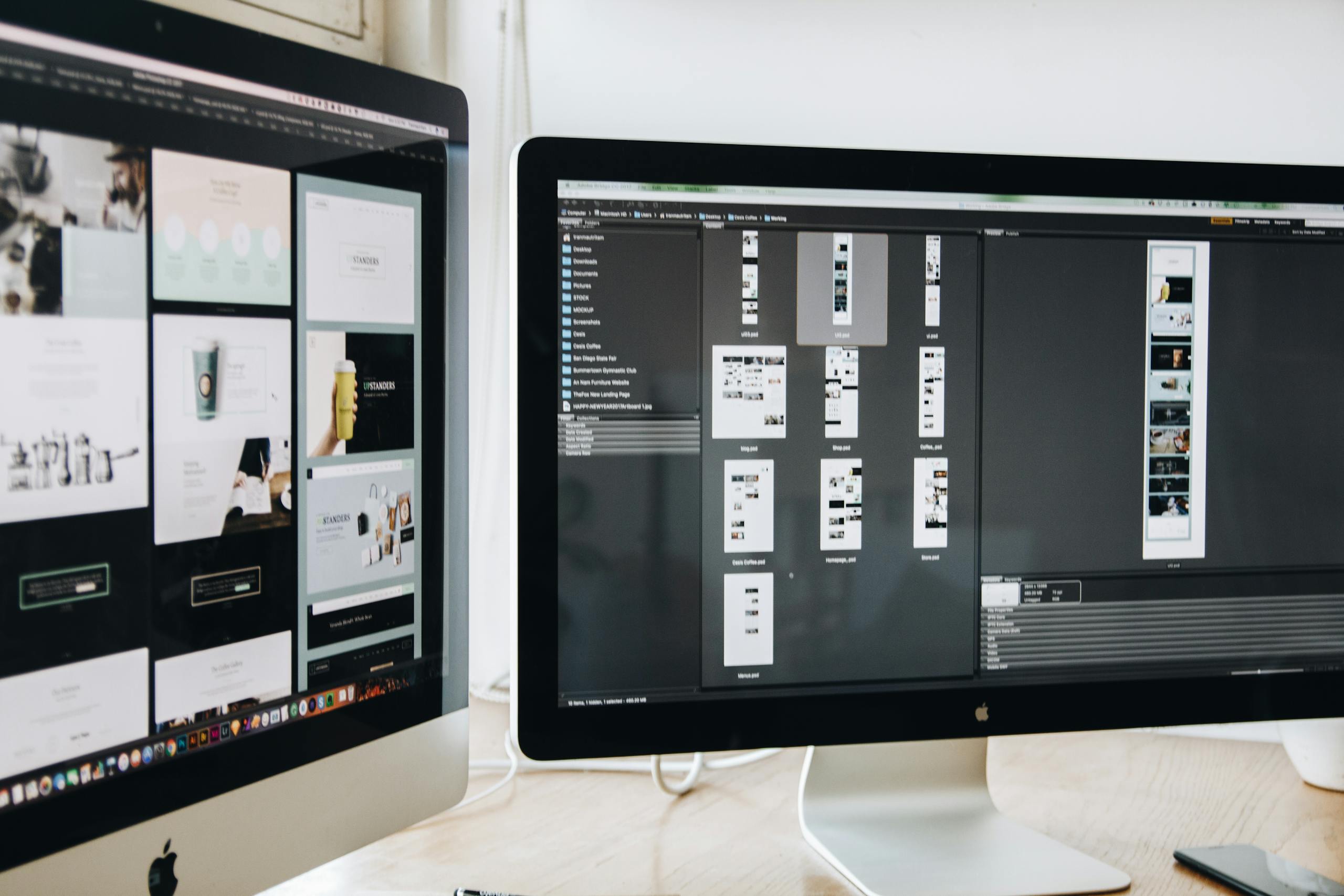
A second monitor is one of those upgrades that feels optional until you have it. For introverts who do deep research, long-form writing, or complex project management, the ability to keep reference material visible without constant tab-switching reduces friction in ways that add up over a full workday.
What Wellness and Energy Management Tools Help Remote Introverts Avoid Burnout?
Remote work removes commute time, office politics, and forced social interaction. What it doesn’t automatically remove is the tendency to overwork, which introverts are surprisingly prone to because the work itself can feel energizing right up until it suddenly doesn’t.
I learned this the hard way during a particularly intense product launch for a national retail client. We were working remotely, the team was distributed, and because I wasn’t visibly exhausted in a shared office, nobody, including me, noticed how depleted I’d become until I missed something important in a client presentation. The burnout had been building quietly for weeks.
The research published in PubMed Central on introversion and arousal regulation supports what many introverts already sense: we have a lower threshold for overstimulation, and remote work, while generally calmer, can still push past that threshold when boundaries aren’t actively maintained.
Time and Energy Tracking
Toggl Track is a clean, low-friction time tracker that helps you see where your hours actually go versus where you think they go. For introverts who tend to underestimate how much social interaction (even virtual) costs them energetically, looking at a week’s worth of data can be clarifying.
RescueTime runs in the background and generates automatic reports on how you’re spending your screen time. The value isn’t surveillance. It’s pattern recognition. Seeing that your most focused work happens between 8 and 11 AM and that your afternoon calls consistently tank your productivity for the rest of the day gives you real information to act on.
Mindfulness and Recovery Tools
Headspace and Calm both offer structured meditation programs that work well for introverts who need a deliberate transition between work mode and recovery mode. The challenge with remote work is that the physical boundary between work and rest disappears, so you need a ritual to replace it.
Even a ten-minute guided session at the end of the workday can function as that transition. It’s less about the meditation itself and more about creating a consistent signal that the workday is over.
Susan Cain’s work on introvert strengths, which she covers in depth in the audiobook version of Quiet, addresses the energy management piece directly. If you haven’t listened to it, the Quiet: The Power of Introverts audiobook is worth adding to your rotation. Cain’s framing of introvert energy as a finite resource to be managed rather than a weakness to be overcome is genuinely useful for thinking about how you structure your remote workday.
Are There Remote Work Tools Specifically Designed Around Introvert Strengths?
Not many tools market themselves as introvert-friendly, but some are structurally aligned with how introverts work best. The pattern is consistent: written-first communication, asynchronous by default, documentation over meetings, and clear boundaries between focused work time and collaborative time.
GitLab built its entire company culture around these principles and documented it publicly in what they call their handbook. Even if you’re not in tech, reading through their approach to asynchronous work is instructive. The assumption that the best thinking happens before a meeting rather than during it is deeply compatible with introvert cognition.
Twist, made by the team behind Todoist, is a messaging platform designed explicitly for asynchronous communication. Unlike Slack, it doesn’t create urgency around real-time responses. Conversations are organized by threads rather than channels, which means you can catch up on context without feeling like you’ve missed a live event.
For introverts who do client-facing work, Calendly removes one of the most draining parts of professional interaction: the back-and-forth of scheduling. You set your available times, share a link, and the meeting appears on your calendar without a single negotiating email. Small friction reductions like this accumulate into real energy savings over a week.
The Walden University overview of introvert strengths highlights deep focus, careful listening, and thoughtful communication as natural advantages. Tools that create space for those strengths rather than overriding them with urgency and noise are the ones worth investing in.

How Do You Build a Remote Work Toolkit That Fits Your Personality?
The mistake most people make when building a remote work setup is copying someone else’s system wholesale. What works for a high-energy extroverted entrepreneur running a team of 50 is not necessarily what works for an INTJ consultant doing deep analytical work alone.
My own toolkit has evolved significantly over the years. In the early agency days, I used whatever the team was using, which usually meant whatever the most vocal person on the team preferred. It took me years to realize I had both the authority and the responsibility to shape the tools and communication norms around what actually produced good work rather than what felt most active or visible.
Start with your energy patterns. When do you do your best thinking? What kinds of interactions drain you most? What does your ideal workday look like if you design it from scratch? The answers to those questions should drive your tool choices, not the other way around.
Then build in layers. Start with one core communication tool, one task management system, and your physical environment. Get those right before adding anything else. Tool accumulation is its own kind of distraction, and introverts are particularly susceptible to the appeal of optimizing systems rather than doing the actual work.
If you’re looking for gift ideas that complement a remote work lifestyle, both the gifts for introverted guys guide and the gift for introvert man roundup include practical picks that translate well to a home office setup. And if you want something lighter, the funny gifts for introverts collection has options that acknowledge the whole “finally working alone” experience with appropriate humor.
The goal is a setup that feels like it was made for you, because it was. Remote work is one of the few professional contexts where introverts genuinely get to design the environment rather than adapt to one someone else built.
One more thing worth mentioning: the financial side of remote work matters too. Setting up a proper home office, investing in quality tools, and managing irregular income if you’re freelancing all require planning. The Consumer Financial Protection Bureau’s guide to building an emergency fund is a practical resource for anyone whose remote work income has more variability than a traditional salary.
There are more resources on building an introvert-friendly work and life toolkit in our complete Introvert Tools and Products Hub, covering everything from books and apps to gear worth investing in.
About the Author
Keith Lacy is an introvert who’s learned to embrace his true self later in life. After 20 years in advertising and marketing leadership, including running agencies and managing Fortune 500 accounts, Keith now channels his experience into helping fellow introverts understand their strengths and build fulfilling careers. As an INTJ, he brings analytical depth and authentic perspective to every article, drawing from both professional expertise and personal growth.
Frequently Asked Questions
What are the most important tools to work remotely as an introvert?
The most important tools to work remotely as an introvert are those that support asynchronous communication, deep focus, and a controlled sensory environment. Noise-canceling headphones, a structured task management system like Todoist or Notion, and asynchronous messaging tools like Loom or Twist tend to have the highest impact. Physical environment matters as much as software: good lighting, a dedicated workspace, and reliable audio setup protect the conditions introverts need to do their best work.
How can introverts manage video call fatigue while working remotely?
Video call fatigue is real and disproportionately affects introverts. The most effective approach is batching calls into specific time blocks rather than spreading them across the day, defaulting to asynchronous communication whenever a live call isn’t strictly necessary, and building recovery time into your schedule after intensive meeting periods. Tools like Loom for recorded video messages and Calendly for scheduling control both reduce the number of live calls you need to take without sacrificing communication quality.
Is remote work actually better for introverts than office work?
Remote work tends to align better with how introverts process information and manage energy, but it isn’t automatically better without intentional setup. The absence of a commute, open office noise, and constant social interruption removes significant drains. That said, remote work can blur work-life boundaries and create isolation if you don’t build in deliberate connection and recovery practices. The advantage goes to introverts who design their remote environment thoughtfully rather than simply accepting the default of working from home.
What productivity system works best for introverted remote workers?
Introverted remote workers generally do well with systems that emphasize written documentation, clear prioritization, and protected deep work blocks. A combination of a task manager (Todoist or Things 3), a knowledge base (Notion or Obsidian), and a time-blocking approach to the calendar tends to work well. The specific tools matter less than the underlying principle: protect your highest-energy hours for your most demanding work and batch lower-energy tasks like email and calls into defined windows.
How do introverts avoid burnout when working from home?
Avoiding burnout while working from home requires recognizing that depletion can build quietly without the visible cues that office environments provide. Practical steps include using time-tracking tools like Toggl or RescueTime to identify energy-draining patterns, building consistent end-of-day rituals that signal the transition out of work mode, scheduling deliberate recovery time after intensive social interactions, and maintaining physical boundaries between your workspace and living space where possible. Treating your energy as a finite resource to be managed rather than a problem to be pushed through is the mindset shift that makes the biggest difference.